Blog

  • How to Use Seat Alerts

    How to Use Seat Alerts

    Seat Alerts help you monitor seat availability after you’ve booked your flight.

    Instead of checking the seat map every day, PointsYeah watches for changes and notifies you when a seat matching your preferences becomes available.

    Whether you booked with points or paid cash, Seat Alerts can help you move into a better seat when one opens up.

    What Can Seat Alerts Monitor?

    Seat Alerts can notify you when a variety of seat types become available, including:

    • Any available seat
    • Window seats
    • Aisle seats
    • Exit row seats
    • Two or three seats together
    • Specific seats you choose on the seat map

    Because airlines frequently update seat assignments before departure, a preferred seat that isn’t available today may open later.

    How to Create a Seat Alert

    You can create a Seat Alert in two ways.

    From a Live Search

    If you’ve found a flight in Live Search:

    1. Open the flight’s seat map.
    2. Select Create Seat Alert.
    3. Choose the type of seat you’d like to monitor.
    4. Save your alert.

    PointsYeah will begin monitoring the seat map automatically.

    POINTSYEAH

    From Your Account

    You can also create a Seat Alert without starting from a search.

    Go to My Seat Alerts, then select Create Seat Alert.

    You’ll be asked to enter:

    • Departure airport
    • Arrival airport
    • Operating airline
    • Flight number
    • Cabin
    • Your preferred seat type

    Once saved, PointsYeah begins monitoring immediately.

    POINTSYEAH

    How Many Seat Alerts Can I Create?

    Free accounts can have up to 4 active Seat Alerts.

    PointsYeah Premium increases that limit to 32 active Seat Alerts.

    You can pause or delete alerts at any time to free up available alert slots.

    How You’ll Be Notified

    When a seat matching your preferences becomes available, PointsYeah will notify you so you can return to the airline and select it before someone else does.

    Notifications are available through:

    • Email
    • Your My Seat Alerts dashboard

    Things to Know

    Seat Alerts monitor the seat map itself, not how you paid for your ticket.

    That means they work whether you booked:

    • An award ticket
    • A cash ticket
    • A ticket purchased through a travel portal

    Seat availability ultimately depends on the airline, and seats may become available as travelers change flights, aircraft are swapped, or airlines release previously blocked seats.

  • How to Personalize Your Flight and Hotel Searches

    How to Personalize Your Flight and Hotel Searches

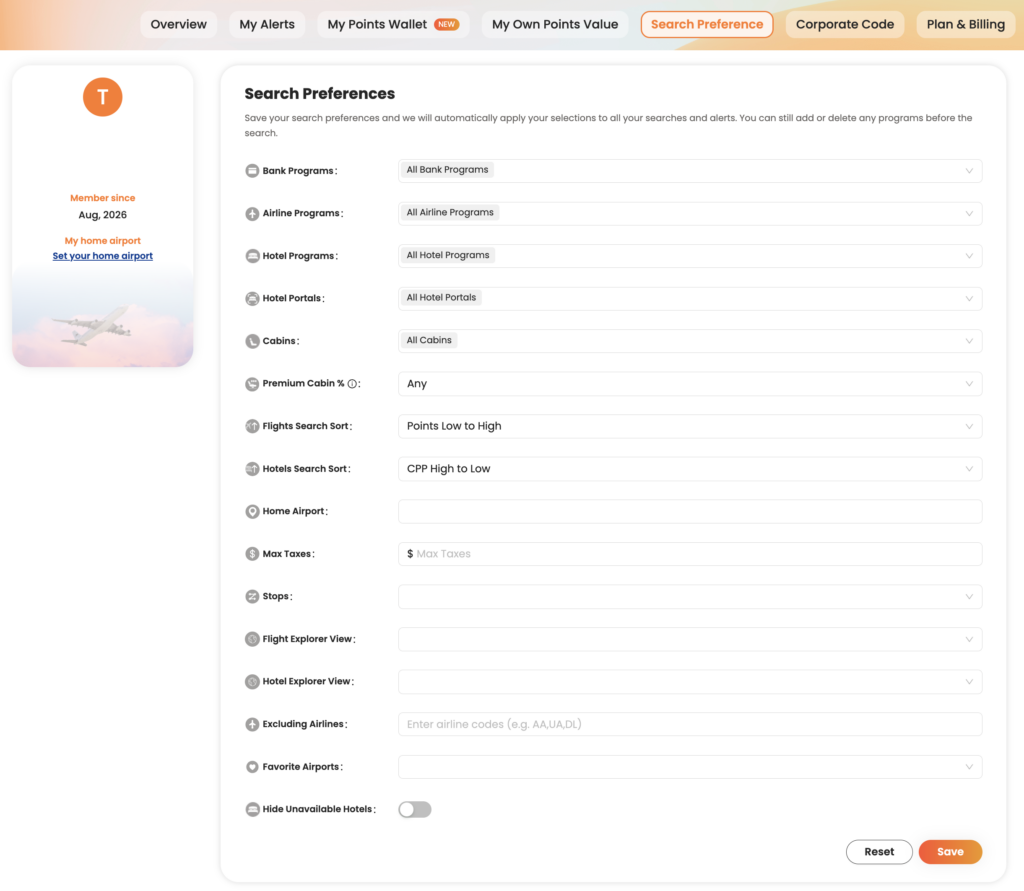
    PointsYeah lets you customize your search experience so the results better match the way you travel.

    By setting your preferred airports, loyalty programs, airlines, and other preferences, you can spend less time filtering results and more time finding award flights and hotels you’d actually book.

    Most preferences only need to be configured once, and they’ll automatically apply to future searches.

    POINTSYEAH

    Set Your Home Airports

    If you usually depart from the same airport or a handful of nearby airports, adding them to your preferences can make searching faster.

    Your home airports become the default starting point for many searches, helping you avoid repeatedly entering the same departure cities.

    Whether you fly from a major hub or a regional airport, setting your preferred origins helps tailor PointsYeah to your travel habits.

    POINTSYEAH

    Choose Your Preferred Rewards Programs

    PointsYeah supports a wide range of transferable bank rewards and airline and hotel loyalty programs.

    If you primarily earn rewards with programs like Chase Ultimate Rewards, American Express Membership Rewards, Capital One Miles, or Citi ThankYou Rewards, you can prioritize those programs in your search preferences.

    Doing so helps surface redemption options that are most relevant to the points you already have.

    POINTSYEAH

    Exclude Airlines You Don’t Want to Fly

    Everyone travels differently.

    If there are airlines you prefer not to fly, you can exclude them from your search results.

    Whether you’re avoiding high carrier surcharges, sticking with a particular alliance, or simply have personal preferences, excluding airlines helps reduce clutter and keeps your results focused.

    POINTSYEAH

    Assign Your Own Point Values (Premium)

    PointsYeah Premium members can assign custom values to their rewards programs.

    Rather than relying on a single valuation, you decide what each type of point or mile is worth to you. PointsYeah then uses those values when evaluating search results, making it easier to compare redemption options across different loyalty programs.

    This feature is especially useful if you consistently value certain rewards programs more highly than others.

    POINTSYEAH

    Customize Additional Search Preferences

    You’ll also find additional options that help tailor your searches, including:

    • Preferred cabin classes
    • Maximum taxes and fees
    • Airline and hotel loyalty programs
    • Hotel corporate codes
    • Default sorting preferences

    These settings help ensure your search results reflect how you actually travel.

    Why Personalization Matters

    The more PointsYeah understands your travel preferences, the more relevant your search results become.

    Instead of repeatedly adjusting filters or scrolling through options you’d never book, you can focus on comparing trips that match your goals from the start.

    Most settings only need to be configured once, and you can update them at any time.

  • Introducing Daydream Explorer

    Introducing Daydream Explorer

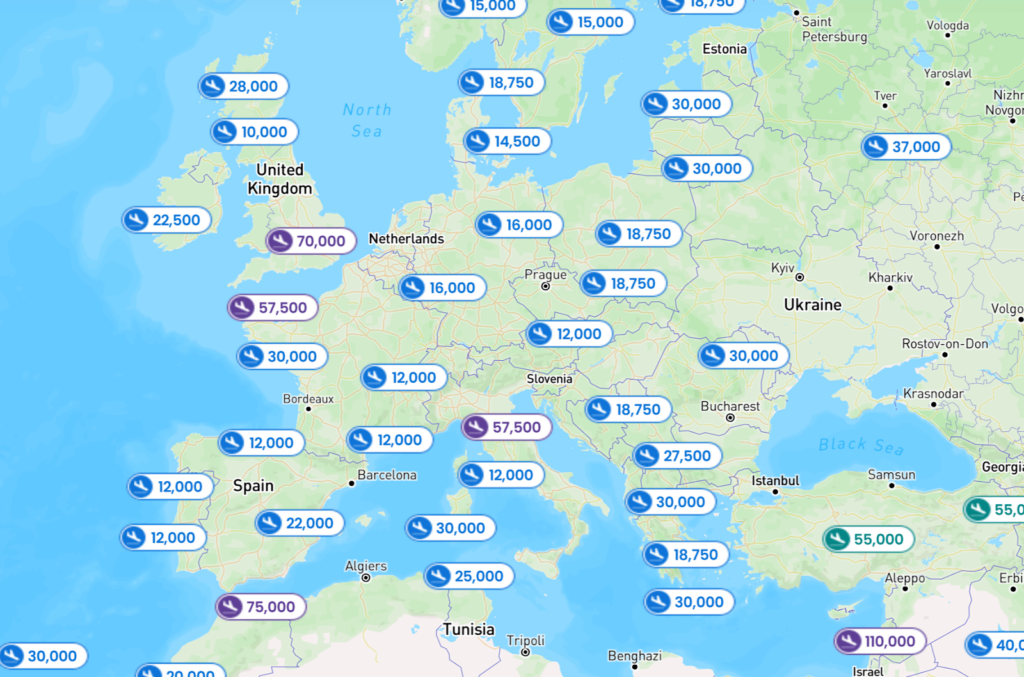
    Today, we’re introducing a completely redesigned Daydream Explorer, giving travelers a more visual way to search for award flights and hotels.

    At the center of the experience is an interactive map that lets you explore destinations around the world before narrowing your search. Switch between flights and hotels, zoom into regions, and discover new possibilities with just a few clicks.

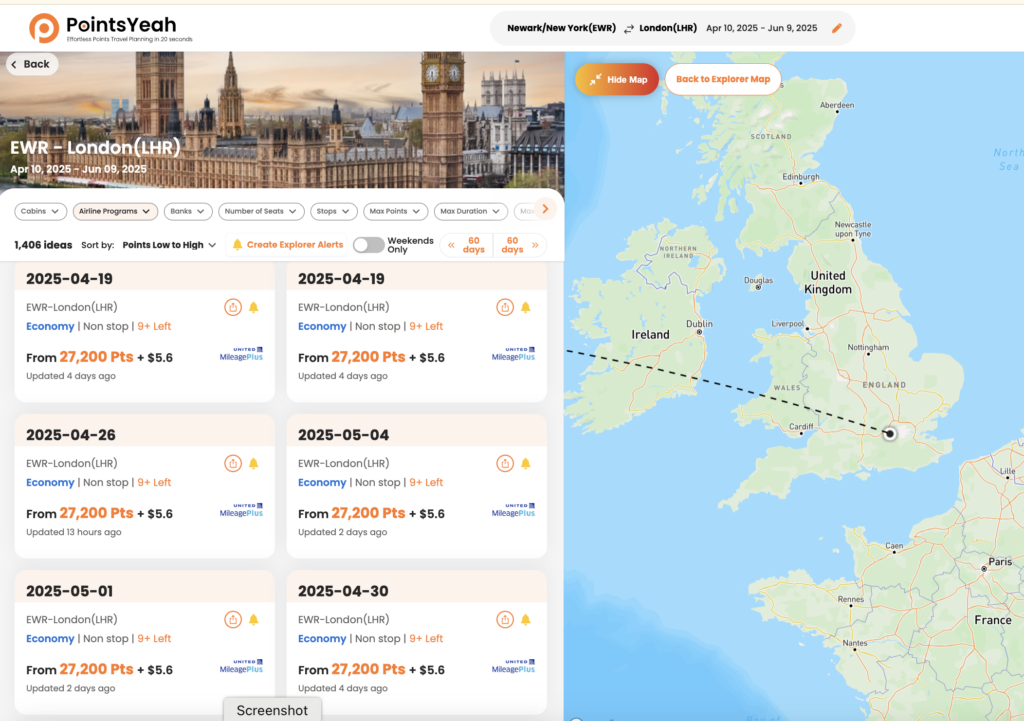
    Once you’ve found somewhere that catches your eye, Daydream transitions into the detailed search results you’re familiar with, where you can compare award prices, cabins, airlines, transfer partners, and more.

    Sometimes you start looking for Paris and end up booking Portugal instead. That’s exactly what Daydream is designed for.

    Start with Inspiration

    Unlike a traditional search engine, Daydream doesn’t require you to know exactly where you want to go.

    Search from anywhere to anywhere, or begin with a continent, country, region, state, or airport. You can include up to three locations on both the departure and arrival sides of your search.

    Whether you’re planning your next vacation or simply browsing what’s possible with your points, the experience is built to encourage exploration.

    POINTSYEAH

    Daydream also includes the Hotel Collection, making it easy to switch between award flights and hotels without leaving the map.

    Find Exactly What You’re Looking For

    Once you’ve narrowed your options, powerful filters help refine the results.

    On the flight page, you can filter by:

    • Cabin class
    • Airline loyalty program
    • Bank rewards program
    • Number of stops
    • Maximum points
    • Maximum taxes
    • Travel themes

    Whether you’re searching for nonstop flights to Tokyo or a luxury hotel in Rome, Daydream makes it easier to focus on the trips that match your goals.

    POINTSYEAH

    Explore Today, Book When You’re Ready

    When you find an itinerary you like, Daydream shows available award options, points pricing, airline programs, cabins, and availability across multiple dates.

    Not ready to book? Explorer Alerts can monitor the trips you’re interested in and notify you when matching opportunities appear. Alerts are free and available directly within Daydream Explorer.

    POINTSYEAH

    Available Now

    The redesigned Daydream Explorer is available now on desktop and mobile.

    If you’ve used Daydream before, you can switch back to the previous Detail View at any time or make it your default in your Search Preferences.

    Whether you’re planning your next redemption or simply looking for inspiration, the new Daydream Explorer is ready to help you discover where your points can take you.

  • How to Use Points Price Alerts

    How to Use Points Price Alerts

    Points Price Alerts help you monitor award flights without having to run the same search over and over.

    Once you create an alert, PointsYeah continuously checks for changes to both award availability and award pricing. If a new itinerary appears or the number of points required changes to meet your criteria, we’ll let you know.

    Whether you’re waiting for award space to open or hoping the price drops before you book, Points Price Alerts can do the monitoring for you.

    What Do Points Price Alerts Track?

    Points Price Alerts monitor two things:

    • Changes in the number of points required for an award ticket.
    • Newly available award seats that match the maximum number of points you’re willing to spend.

    Instead of checking the same route every day, you can let PointsYeah search continuously in the background.

    POINTSYEAH

    How to Create a Points Price Alert

    You can create a Points Price Alert from either:

    • A Live Search results page, or
    • The My Points Price Alerts page in your account.

    When creating an alert, choose:

    • Your travel dates
    • The route you’d like to monitor
    • The maximum number of points you’re willing to spend

    Once saved, PointsYeah begins monitoring automatically.

    POINTSYEAH

    How Many Alerts Can I Create?

    Free accounts can have up to 4 active Points Price Alerts.

    PointsYeah Premium increases that limit to 32 active alerts.

    An active alert is counted per travel date.

    For example:

    • One alert covering three travel dates counts as three active alerts.
    • Another alert covering two travel dates counts as two active alerts.

    Together, those use five active alert slots.

    You can pause or delete alerts at any time to free up available slots.

    How Will I Know When Something Changes?

    Whenever PointsYeah finds a matching itinerary, you’ll receive:

    • An email notification
    • An update in your My Points Price Alerts dashboard

    Alerts continue monitoring until you:

    • Pause the alert
    • Delete the alert
    • Reach your travel date

    A Few Things to Know

    Points Price Alerts monitor all supported loyalty programs at the same time, so you don’t need to create separate alerts for different airlines.

    Because many award tickets can be changed or canceled, some travelers choose to book an itinerary when it becomes available, then continue monitoring for a lower points price before departure.