In most families, one person ends up tracking everyone’s points and planning the trips. That usually means bouncing between airline, hotel, and credit card accounts or relying on a spreadsheet that’s never quite up to date.
Today, we’re launching Family and Friends Points Wallet, a new feature included with PointsYeah Premium that brings your household’s rewards together in one place.
Instead of asking, “How many points do we have?” before every trip, you’ll already know.
Everyone’s Points, on One Screen
Your wallet can include up to five people in total: your own Head Account plus up to four Family Accounts.
Each account holds that person’s bank, airline, and hotel rewards programs, just like your own. At the top of your wallet, you’ll see a combined household total, with each person’s balances listed underneath. When someone asks whether you have enough points for a trip, the answer is already there without jumping between multiple logins.
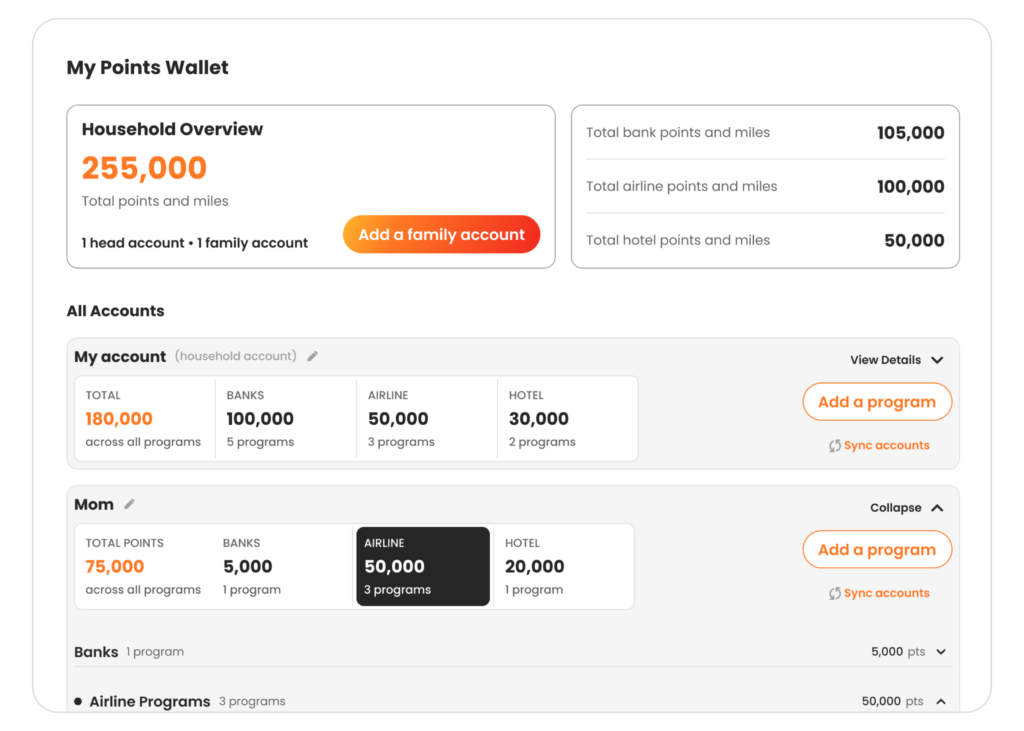
It’s not just about balances. Each account can also store frequent flyer and hotel loyalty numbers, so they’re always available when you need them. You can copy any account number with a single click instead of digging through emails, screenshots, or text messages.
You can connect eligible Chase, American Express, and Citi accounts to sync supported rewards automatically, including eligible co-branded airline and hotel credit cards. Other loyalty programs can be added manually, so everything lives together in one wallet.
Getting Everyone into Your Family and Friends Points Wallet
Family and Friends Points Wallet is available with PointsYeah Premium. And it couldn’t be easier to use.
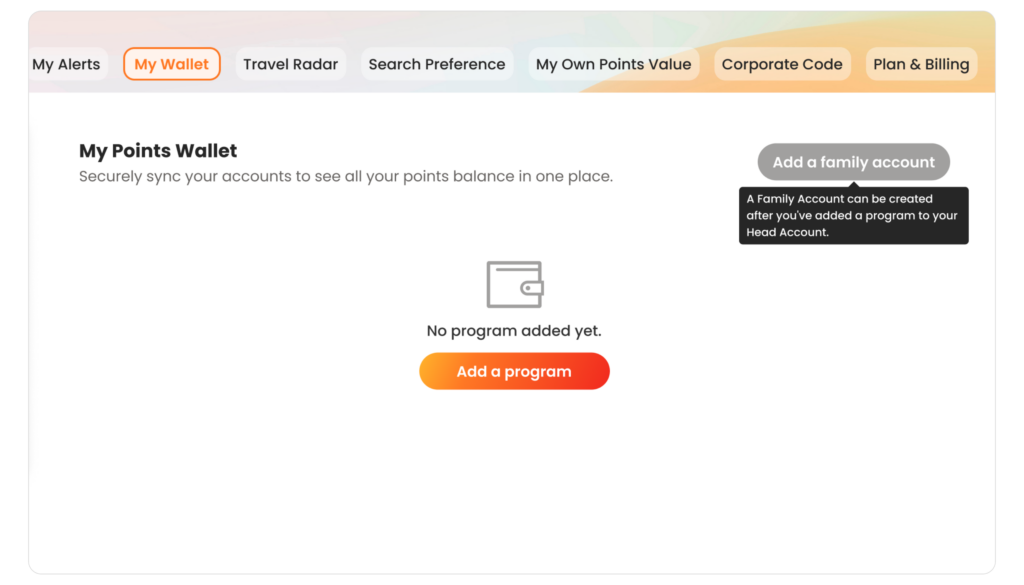
1. Add a program to your own account first. You’ll need at least one program in your own Head Account before you can add anyone else. If your wallet is empty, start there.
2. Add a person. Give the account a name, such as “Mom” or “Sarah,” then add their bank, airline, and hotel programs, along with their loyalty account numbers.
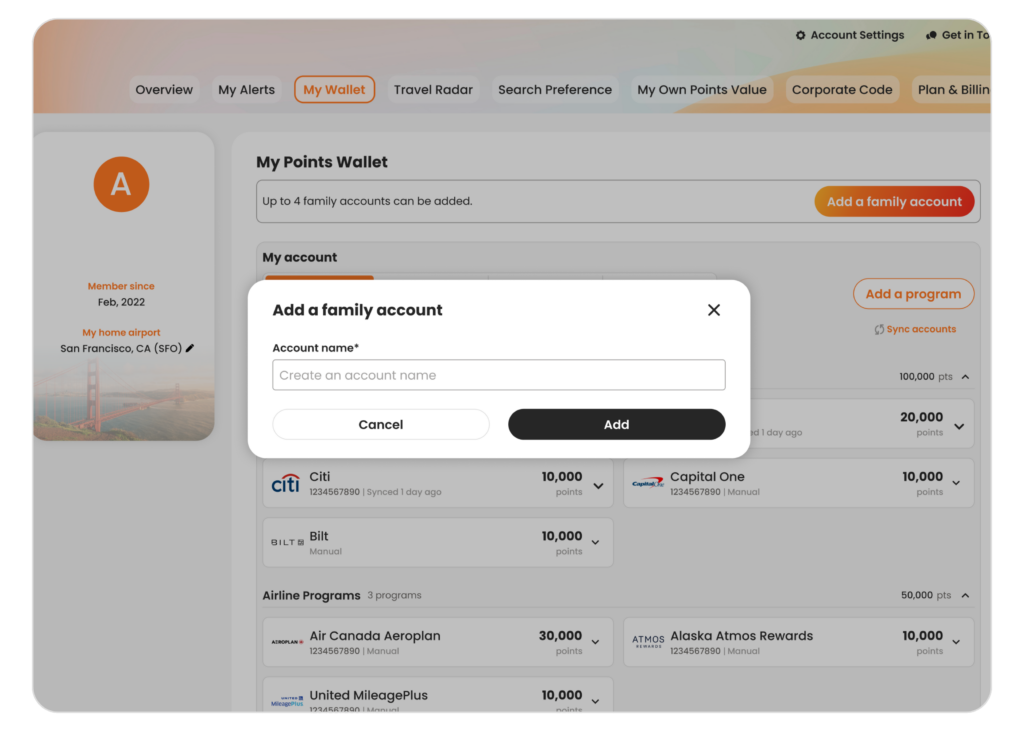
3. Repeat for up to four Family Accounts. Drag and drop each account to arrange them in whatever order works best for you.
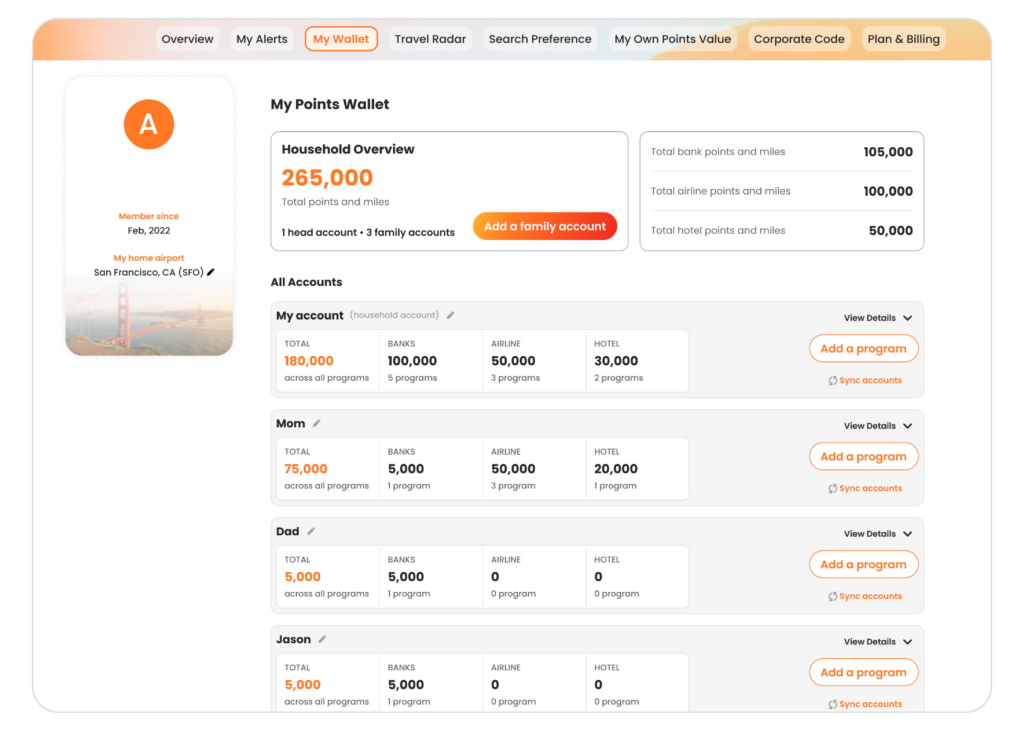
Everything is managed from your own wallet. To sync a family member’s supported accounts automatically, you’ll need their login credentials. If you’d rather not connect an account, you can always enter balances manually instead.
Available Now
Family and Friends Points Wallet is included with PointsYeah Premium, alongside automatic syncing with supported programs, a larger live search window, multi-airport search, and up to 32 price alerts.
If you’re new to Premium, you can upgrade today to unlock Family and Friends Points Wallet and all of Premium’s travel planning tools.
Leave a Reply