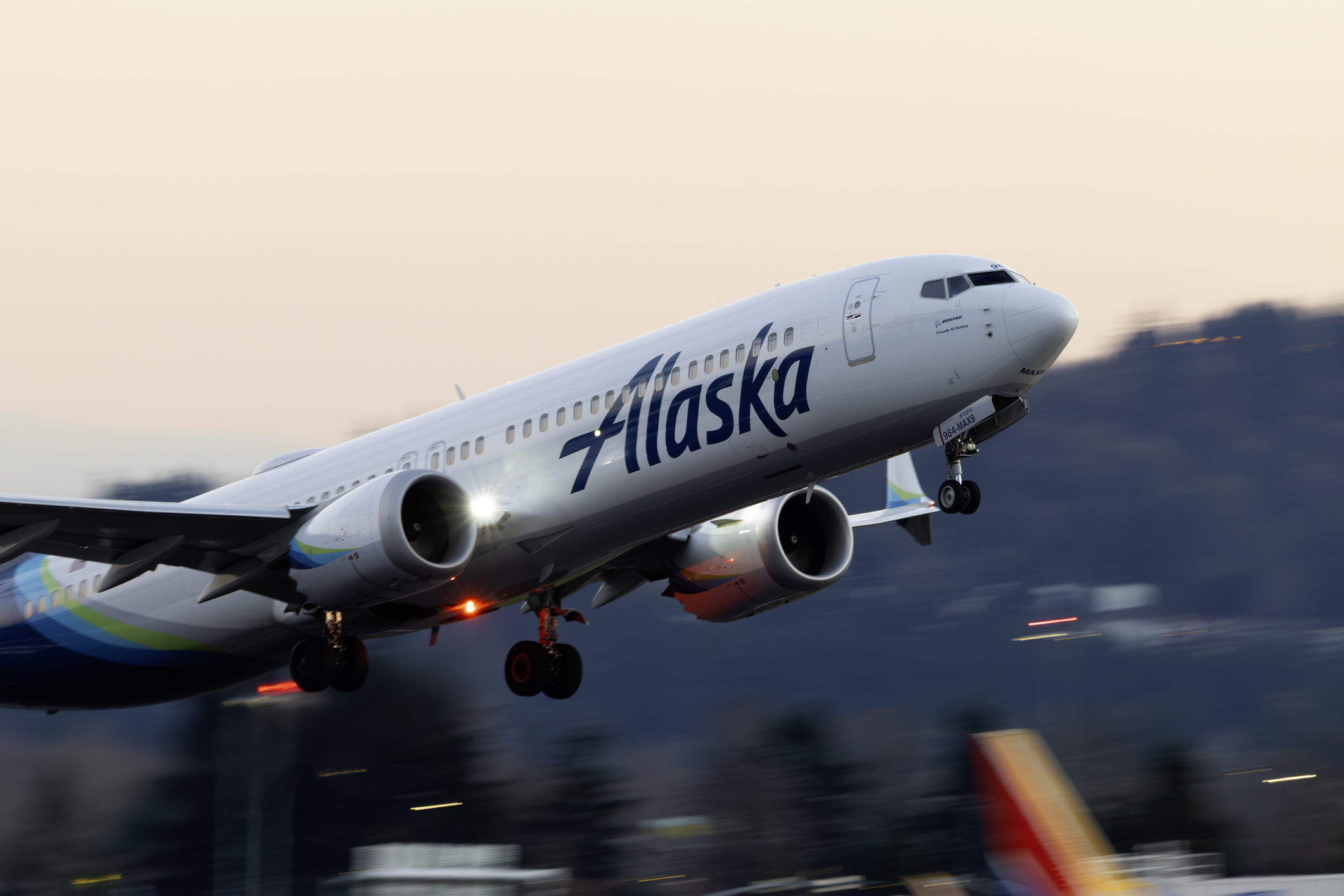
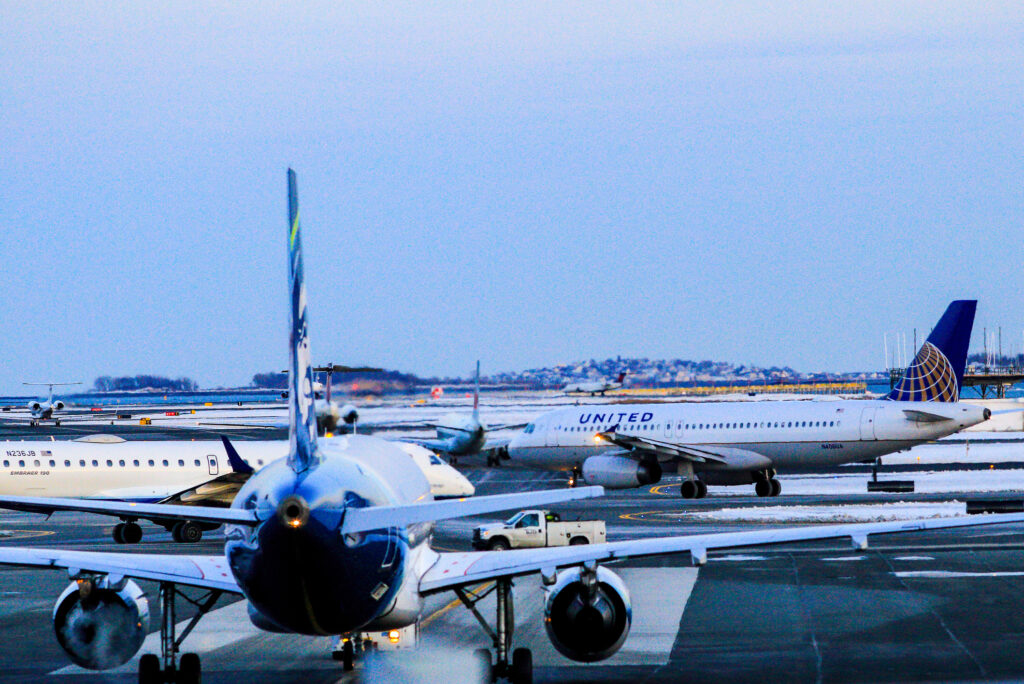
Alaska Airlines is planning a sizable expansion at Paine Field, giving the Seattle area’s secondary airport considerably more service over the next year.
The expansion includes one new destination, San Jose, along with more flights or larger aircraft on several existing routes.
Alaska plans to begin twice-daily flights between Paine Field and San Jose on April 14, 2027, operated by Horizon Air with Embraer E175 aircraft.
Los Angeles will also increase to twice-daily service, with both flights moving to larger Boeing 737 aircraft. Portland grows to two flights per day, while Alaska is adding seats to San Diego and San Francisco.
Paine Field Is Becoming a Bigger Part of Alaska’s Seattle Network
None of the individual route changes is especially dramatic. Taken together, though, a 50% increase in seats is meaningful for an airport that offers an alternative to Seattle-Tacoma International Airport (SEA).
Paine Field sits roughly 25 miles north of downtown Seattle in Everett, making it considerably closer for parts of northern Seattle and communities north of the city. Its small passenger terminal also offers a very different experience from Alaska’s much larger operation at SeaTac.
The expansion doesn’t turn Paine Field into another major hub. Most of Alaska’s Seattle-area flying will continue to operate from SEA.
But by summer 2027, PAE will offer substantially more Alaska capacity to several major West Coast destinations. For anyone living north of Seattle, that makes checking both airports before booking a trip a little more important.
Flying between Sydney and New York is about to get a little more direct, even if it won’t get much shorter.
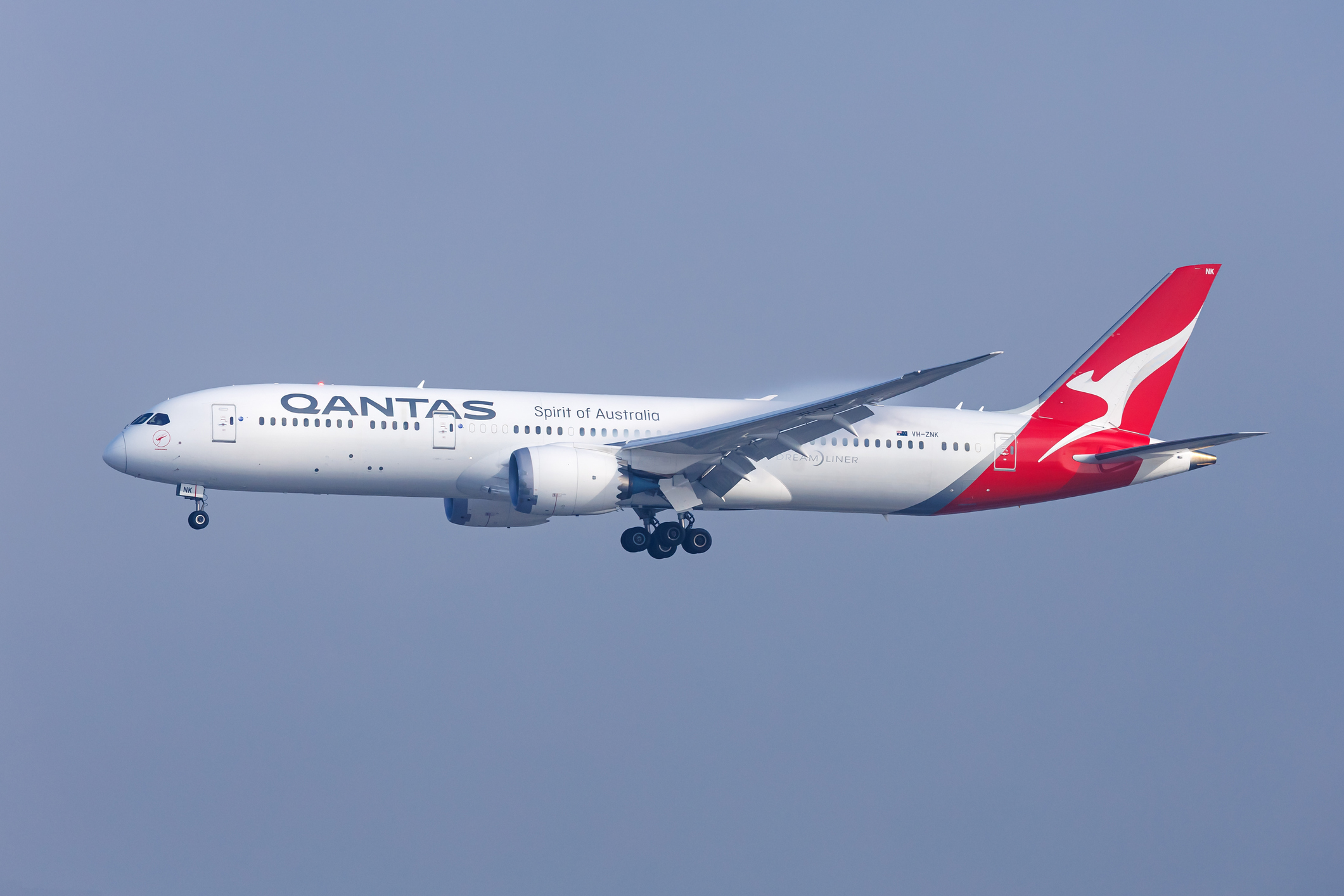
Qantas announced September 22 that it will launch nonstop flights between the two cities in mid-2028 as part of its long-planned Project Sunrise. The roughly 18-hour flight will be the first nonstop commercial service between Australia and New York.
Tickets are expected to go on sale in August 2027.
Qantas already flies between Sydney and New York, but the current route stops in Auckland. Removing that stop is expected to cut more than three hours from the total trip.
Qantas Is Building a Plane for Some Very Long Flights
The New York route will use Qantas’ specially configured Airbus A350-1000ULR, with ULR standing for Ultra Long Range. The aircraft will first enter commercial service on nonstop Sydney to London flights in October 2027.
Those flights will spend roughly 20 hours in the air, giving a sense of what Qantas is building these aircraft to do. The airline says the A350-1000ULR can fly for up to 22 hours nonstop.
Qantas is configuring its 12 Project Sunrise aircraft with just 238 seats across first class, business class, premium economy, and economy. The planes will also have an additional 20,000-liter fuel tank to make these ultra-long flights possible.
There’s even a dedicated Wellbeing Zone where passengers can stretch, grab a drink or snack, and follow guided movements on large screens. Spending the better part of a day on an airplane makes that sound a little less gimmicky.
The first aircraft is expected to arrive in April 2027.
New York will be the second confirmed Project Sunrise route after London. Qantas hasn’t released the Sydney to New York schedule or said how frequently it will operate.
There’s also no word yet on what tickets will cost or how many seats might eventually be bookable with Qantas points or through partners such as American Airlines.
Those details are a ways off. But beginning in 2028, getting from Sydney to New York should no longer require landing somewhere in between.
Eighteen hours in a middle seat, on the other hand, is one problem Project Sunrise can’t solve.
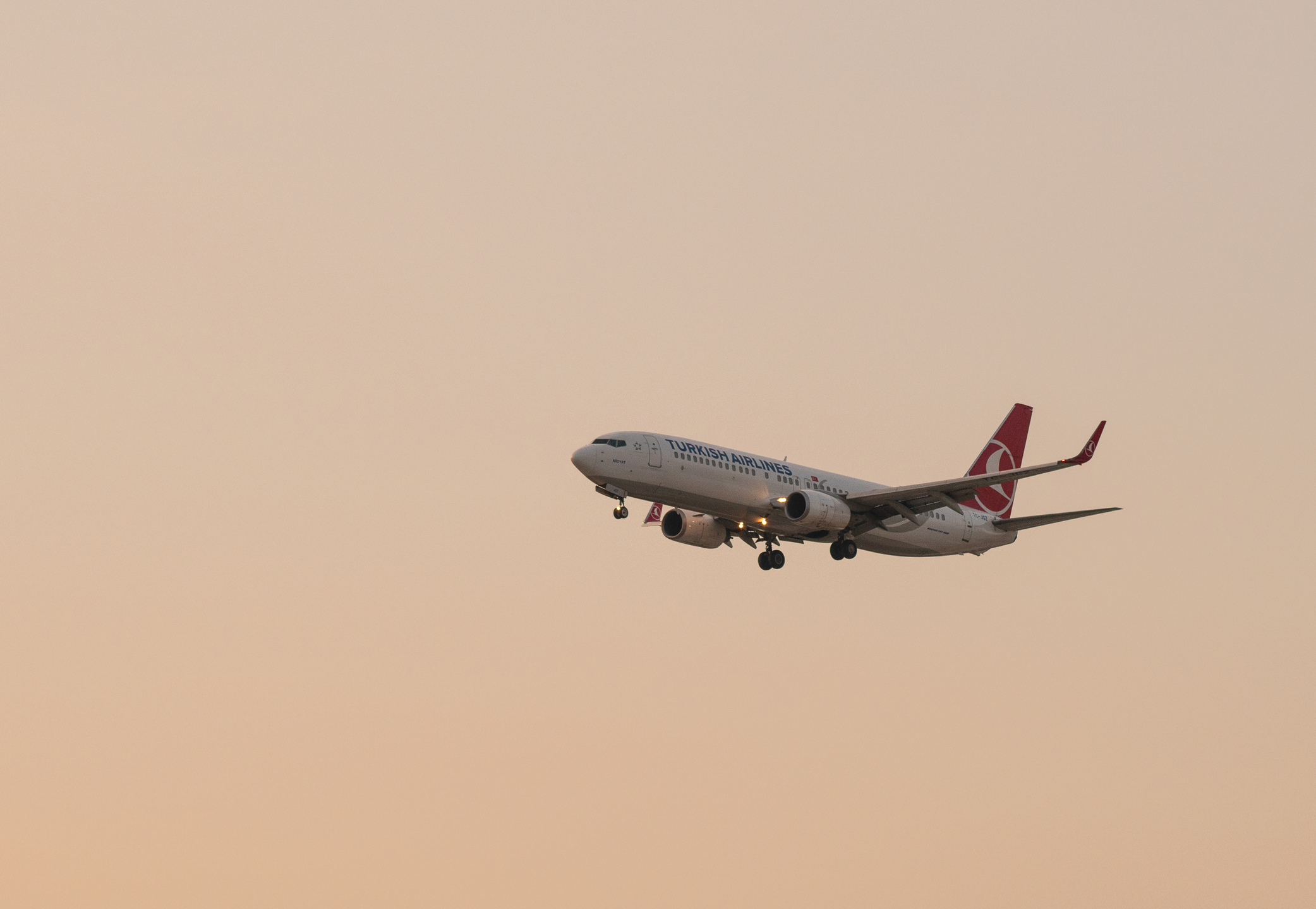
Turkish Airlines is moving ahead with plans to add a lot more airplanes.
The airline finalized an order Wednesday for 100 Boeing 737-8 aircraft, with options for another 50 737 MAX jets. Turkish can also substitute some of those planes for the larger 737-10.
For passengers, the useful part isn’t necessarily the aircraft itself. It’s what Turkish could do with a fleet that continues to get much bigger.
More planes give the airline room to add flights, destinations, and seats over time. Turkish hasn’t said where these particular aircraft will fly, and some could replace older planes rather than represent entirely new capacity.
But this order is part of a much larger growth plan.
Turkish Airlines Is Building Toward More Than 800 Aircraft
The 787 order includes 35 787-9s and 15 of the larger 787-10, which Turkish plans to use to support long-haul growth. Boeing has said the 787 and 737 MAX deals together will double Turkish Airlines’ Boeing fleet.
Turkish has an even bigger target beyond Boeing. The airline wants its overall fleet to exceed 800 aircraft by 2033 while sustaining average annual growth of 6%.
The 737 MAX aircraft are intended for shorter routes, while the additional Dreamliners give Turkish more room to grow long-haul flying. That combination matters at Istanbul, where shorter flights from across the region feed Turkish’s much larger international network.
None of that guarantees more seats on a particular route or the introduction of new ones. But Turkish is planning for a substantially larger fleet, and more aircraft give it more room to add capacity.
Amtrak is Bilt’s first rail transfer partner and its 26th travel partner overall. And the partnership could be particularly useful in situations where taking the train can make more sense than flying.
Bilt Points transfer in increments of 1,000. Members who have earned Bilt status can transfer as few as 1,000 points at a time, while members with entry-level Blue status (which everyone receives when joining Bilt) need to transfer at least 2,000.
Amtrak tickets can start at 400 Guest Rewards points, or 100 points when combining points and cash. Points can also be used for lounge passes starting at 1,500 points and one-class upgrade coupons starting at 2,500 points.
The important number to check before transferring is how many Amtrak points a particular trip requires. Since Bilt Points become half as many Amtrak points, a ticket costing 2,500 Amtrak points would require transferring 5,000 Bilt Points.
Bilt Continues to Expand Beyond Traditional Travel Rewards
Amtrak also fits into something broader happening at Bilt.
Airline and hotel transfers are still a big part of the program, but Bilt has increasingly added ways to use points outside the usual airline-hotel playbook. Points can go toward fitness classes, student loan payments, and other expenses tied more closely to everyday life.
Train travel fits neatly into that expansion. It’s transportation, but for plenty of people, especially along the Northeast Corridor, it’s also part of life in a way that an airline transfer partner might not be.
Capital One Offers are easy to forget about. But a batch of limited-time mileage bonuses showing up right now is a good reason to take another look before making a purchase.
Current offers cover flights, hotels, rideshares, activities, and plenty of things that have nothing to do with travel.
Some offer a certain number of miles per dollar spent. Others are more interesting: spend a relatively small amount and earn a fixed number of bonus miles.
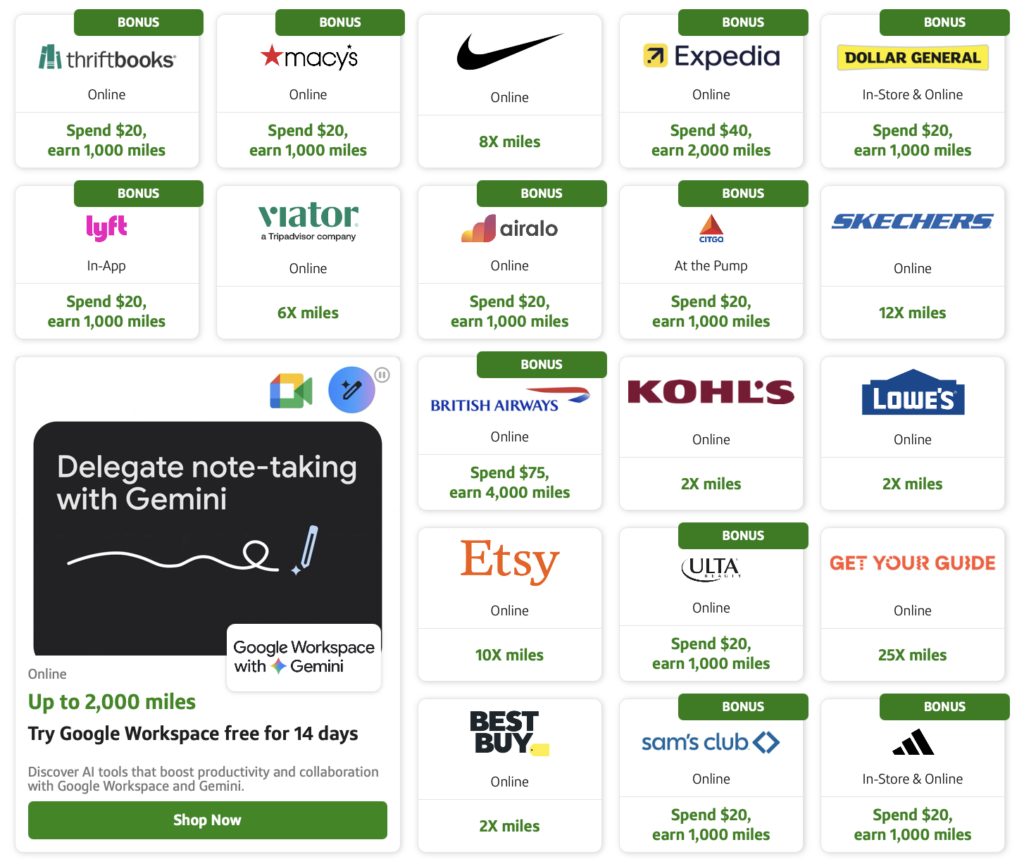
British Airways, for example, is offering 4,000 Capital One miles after spending $75. Expedia has 2,000 miles after spending $40, while Klook and Lyft each offer 1,000 miles after spending $20.
Those aren’t huge spending requirements. If a purchase was going to happen anyway, checking Capital One Offers first could mean picking up a few thousand extra miles along the way.
Some Offers Are Better Than Others
Offers vary by account and change regularly. On eligible miles-earning Capital One cards, current bonuses include:
British Airways: Spend $75, earn 4,000 miles
Expedia: Spend $40, earn 2,000 miles
Hotels.com: Spend $30, earn 1,500 miles
Priceline: Spend $30, earn 1,500 miles
Lyft: Spend $20, earn 1,000 miles
Klook: Spend $20, earn 1,000 miles
Airalo: Spend $20, earn 1,000 miles
CAPITAL ONE
Other offers work differently. GetYourGuide is currently offering 25 miles per dollar spent, for example, while Viator has an offer for 6 miles per dollar.
Check Before Hitting Buy
Capital One Offers can be found at CapitalOneOffers.com or by logging in to a Capital One account and looking for the offers section.
Finding an offer isn’t enough on its own. The purchase needs to start by clicking through the offer, and each one has its own terms, including eligible purchases and restrictions.
The practical takeaway isn’t to find something to buy because an offer exists. It’s to check whether there’s an offer for something already being purchased.
A flight, hotel, rideshare, eSIM, or activity could already be sitting on the list. It takes a few seconds to look, and right now some of those few seconds are worth a few thousand miles.
Australia isn’t exactly a quick trip from the U.S., but American Airlines is offering a cheaper way to get there for anyone with some flexibility this fall.
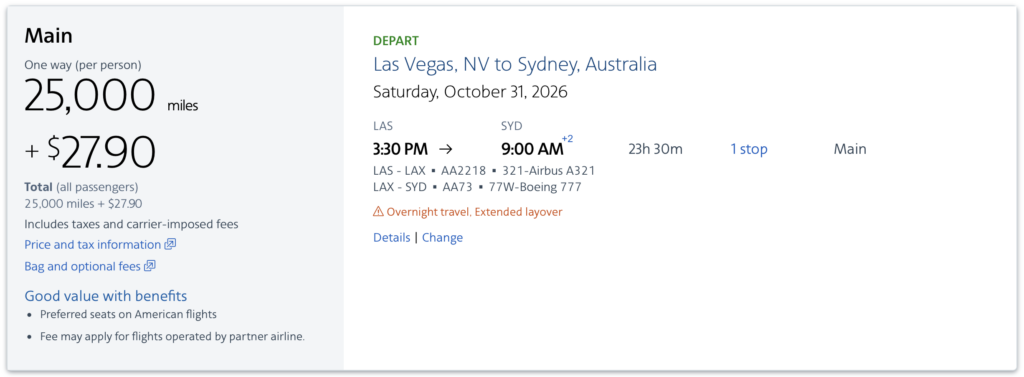
For a limited time, American is offering one-way economy award tickets to Sydney (SYD) for as few as 25,000 AAdvantage miles. That’s 10,000 miles less than the 35,000-mile starting price on American’s award chart.
There’s one big catch, though: both booking and travel need to happen by October 31, 2026.
That leaves just over a month to make the trip happen.
What to Know Before Booking
The offer covers Main Cabin awards between the contiguous 48 states and Sydney. These tickets start at 25,000 AAdvantage miles one way, plus applicable taxes and fees.
American says availability is limited, and the mileage price can change depending on the flight and date.
There’s another important restriction. The discounted awards must be on flights marketed and operated by American Airlines or American Eagle. Codeshare flights aren’t eligible, so don’t expect the 25,000-mile price on a Qantas-operated flight just because it appears on AA.com.
The offer can’t be applied to an existing reservation, either.
That gives this deal a pretty narrow window:
Book by 11:59 p.m. CT on October 31, 2026.
Complete travel by October 31, 2026.
Fly in Main Cabin.
Travel between the contiguous U.S. and Sydney.
Stick to American-operated flights.
AA.COM
A Long Flight, but a Lower Mileage Price
There’s no getting around the obvious part. Australia is a long way to fly in economy. American’s nonstop from Los Angeles to Sydney spends roughly 15 hours in the air.
At 25,000 AAdvantage miles one way, though, the savings are pretty meaningful. A round trip at the lowest price would cost 50,000 miles, although finding that rate in both directions from a home airport isn’t guaranteed.
It’s worth searching from American’s major gateways, too. If the deal doesn’t appear from a home airport, a positioning flight could open up more options.
But the bigger limitation here isn’t the long flight. It’s the calendar. Anyone who can make Australia work before the end of October has a lower mileage price available for a limited time.
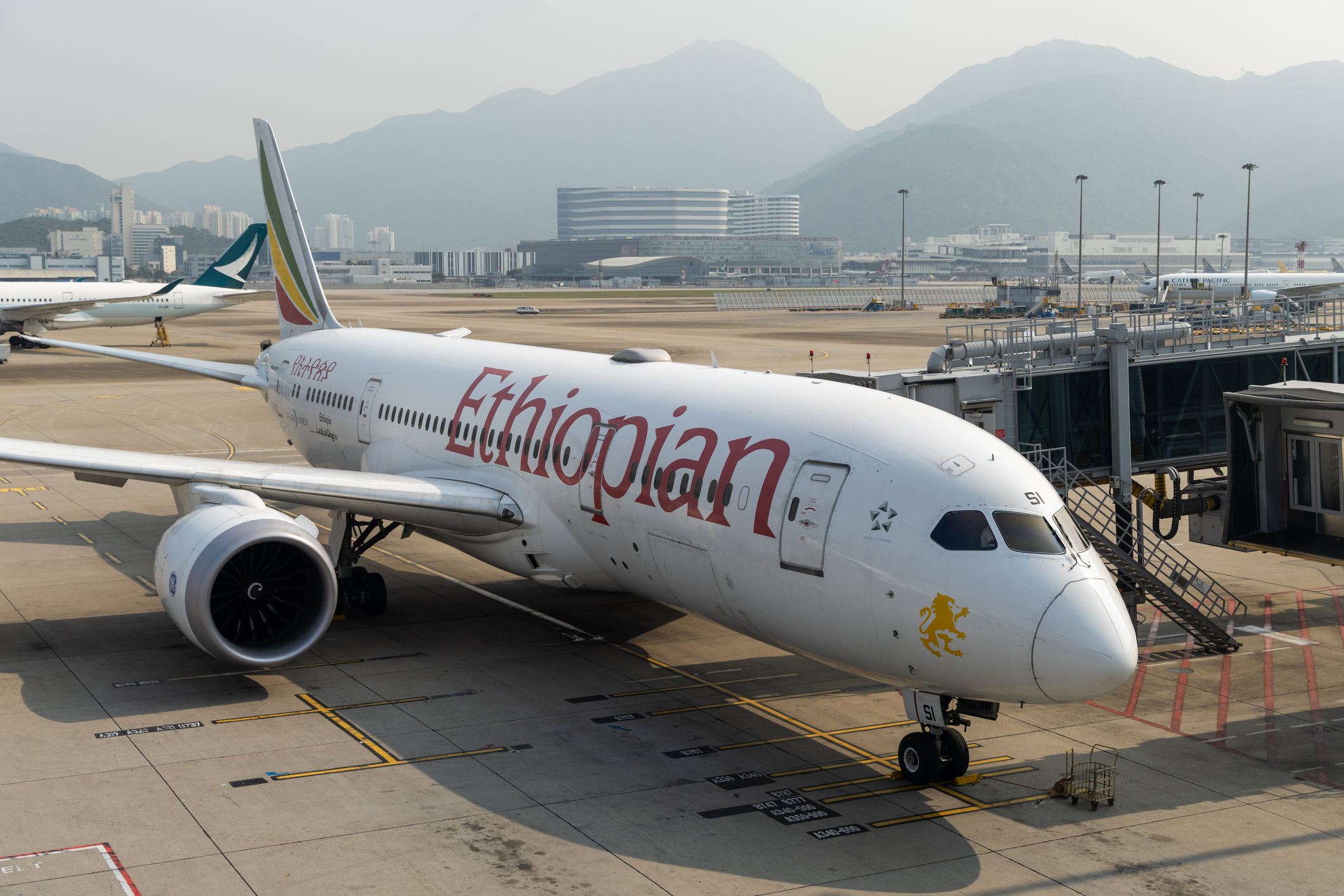
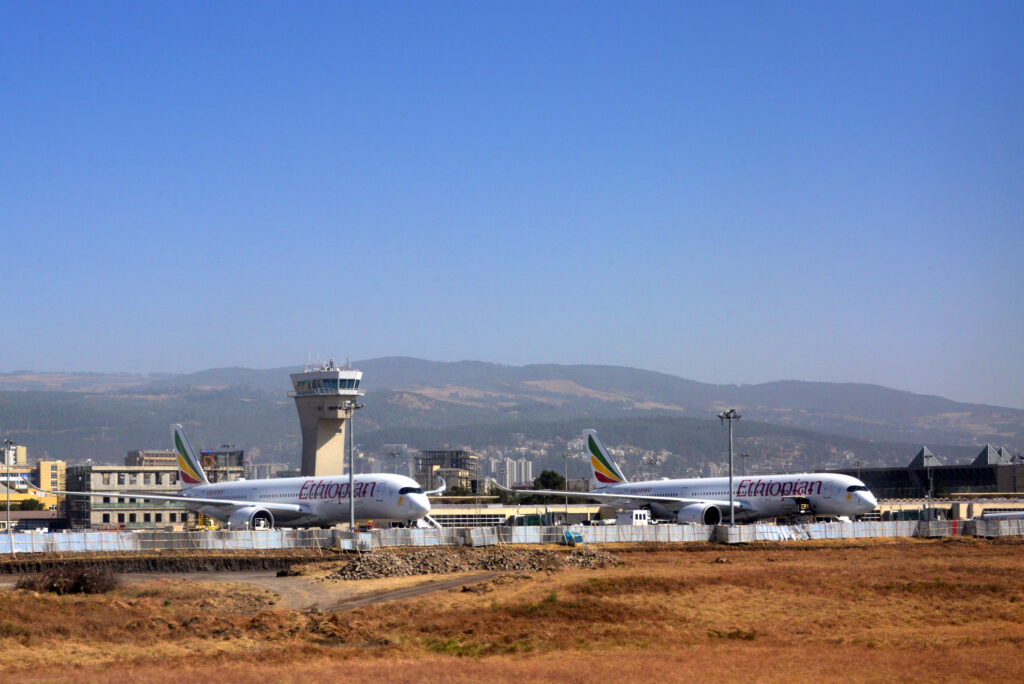
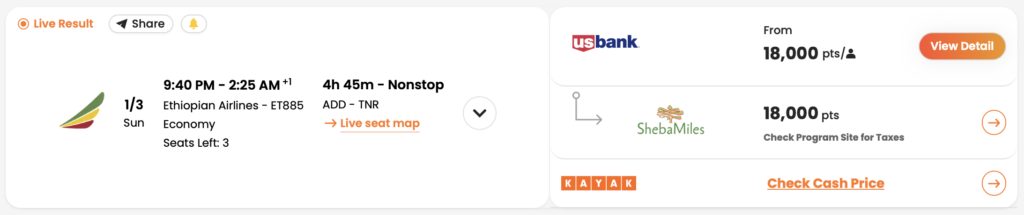
When U.S. Bank launched points transfers to airline partners less than a month ago, one addition caught my eye: Ethiopian Airlines ShebaMiles.
It got me wondering whether ShebaMiles could be the next non-U.S. airline program to make a bigger push into the U.S. points and miles market, following programs such as Avios, Aeroplan, LifeMiles, Flying Blue, Virgin Atlantic Flying Club, and Japan Airlines Mileage Bank.
Airline points and miles are a multibillion-dollar business and a reliable cash cow for carriers. Airlines sell billions of dollars’ worth of miles to banks and other partners every year, and during COVID, several pledged their loyalty programs as collateral to raise billions in cash. More recently, Air Canada sold a 25% stake in Aeroplan for C$2.5 billion.
The U.S. is by far the largest miles market globally, followed distantly by Brazil. Given how profitable selling miles can be, more and more non-U.S. airlines want a piece of that cash flow.
Domestically, the U.S. “Big Three” each pursue their own strategy, backed by a physical presence across the entire country. Foreign airlines, by contrast, have a much smaller footprint in the U.S., so they lean on miles sales and bank partnerships to generate cash and attract members from the world’s largest points and miles market.
Origins of the Non-U.S. Airline Playbook
The strategy was pioneered by British Airways Avios, under International Airlines Group (IAG), and later refined by LifeMiles after its parent airline, Avianca, joined Star Alliance in 2012. The formula included:
Buy-miles promotions
Bank transfer partnerships and promotions
Intentionally curated redemption “sweet spots” to generate word-of-mouth buzz, particularly for partner redemptions
Change, cancellation, and partner-redemption fees as additional revenue streams
Other non-U.S. and regional carriers later adopted a similar model to attract members outside their home markets. Air France-KLM’s Flying Blue and Air Canada’s Aeroplan are chief among them, particularly because the U.S. market dwarfs their home markets in size.
MTCURADO / ISTOCK
COVID as a Turning Point
When COVID hit, people stopped traveling and airlines across the industry were suffering. Several major airlines turned to their loyalty programs as collateral to raise billions in cash, making the value of these businesses impossible to ignore.
Virgin Atlantic Flying Club is a prime example of how programs have evolved since then. In just a few years, it transformed from a currency centered largely around Virgin Atlantic flights into one of the more prominent programs in the space by expanding bank transfer partnerships, joining SkyTeam, launching online partner redemptions, and shifting to dynamic pricing on its own flights and select partners.
As a side note, Alaska Airlines’ Atmos Rewards program took a slightly different path. Still U.S.-based and historically regional, it broadened the program’s appeal by pairing a highly competitive elite program on the West Coast with a unique co-brand credit card, a broad range of airline partners, and other benefits that extend beyond Alaska’s traditional footprint.
The Next Movers
More recently, the spotlight has shifted to Japan Airlines Mileage Bank, which has added partnerships with Bilt, Capital One, and most recently Citi.
Now, it may be Ethiopian Airlines ShebaMiles’ turn. The program has already checked several boxes:
Star Alliance membership
A website supporting partner redemptions
Buy-miles promotions
Its first U.S. bank partnership
If ShebaMiles continues following the playbook used by programs such as Avios, LifeMiles, Aeroplan, Flying Blue, Flying Club, and JAL Mileage Bank over the past 15 years, I think there are several likely next moves:
Creating/Maintaining a few redemption sweet spots to generate buzz, potentially while continuing to use an award chart for the time being
Adding more bank partners with attractive pricing for those partners, potentially below 130 basis points per mile
Launching bank transfer promotions
Introducing multi-tier and eventually dynamic redemptions on Ethiopian’s own flights, with some inventory reserved exclusively for ShebaMiles members rather than relying on the current single-tier, inventory-based system
Improving customer service and adding online changes, or at least cancellations, paired with change and cancellation fees
Adjusting fees over time as members become more familiar with the program
Africa has also become an increasingly popular destination in recent years. I’ve personally visited the continent six times over the past 15 years and traveled through about half of it.
There are very few places Ethiopian Airlines doesn’t fly across Africa today, apart from some North and Southern African markets served by partners such as EgyptAir and Airlink. That’s the result of a network Ethiopian began building years ago.
Fathala Wildlife Reserve. TROY LIU / POINTS INSIDER
Sure, United MileagePlus, Air Canada Aeroplan, and Turkish Miles&Smiles can already be used to book Ethiopian flights, but those programs only have access to the award inventory Ethiopian makes available to partners.
If ShebaMiles eventually introduces multi-tier redemptions on Ethiopian’s own flights, with additional inventory reserved exclusively for its own members, that could become a real competitive advantage.
U.S. customers would have another option when choosing a miles program, and I’ve never been more bullish on the future of this industry as more banks and programs enter the market.
And with ShebaMiles becoming more relevant in the U.S., we’ve added the program to PointsYeah Live Search, making it possible to search ShebaMiles award availability alongside other supported programs.
Booking a flight can occasionally produce something that looks a little strange.
The ticket might have an American Airlines or Delta flight number, even though the flight is operated by another airline. Or the same flight might appear in a search twice, each time with a different airline and flight number.
That’s usually a codeshare partnership at work.
The basic idea is pretty simple: one airline operates the flight, while another can sell seats on that flight under its own flight number. That lets airlines sell trips to places they don’t actually fly themselves and makes it easier to combine flights from different airlines.
How a Codeshare Works
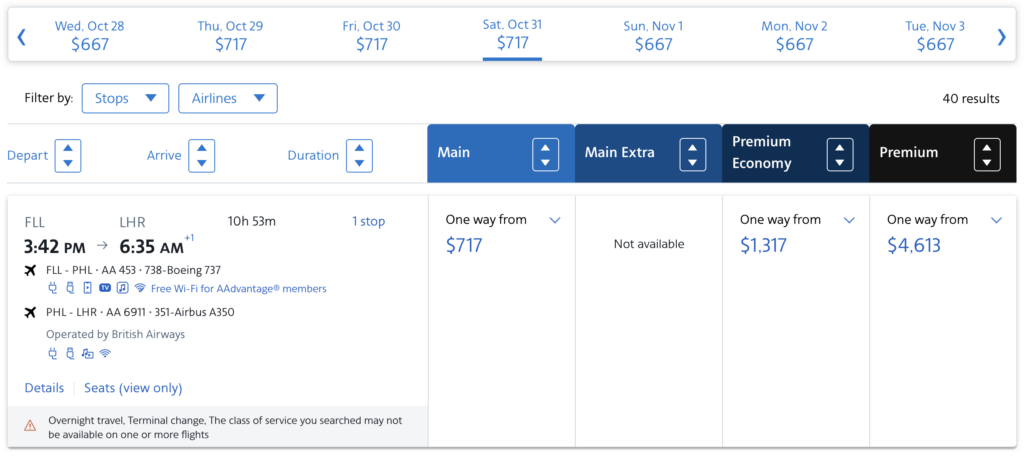
Say American Airlines sells a ticket from Fort Lauderdale to London via Philadelphia.
American can operate the first flight to Philadelphia, while a partner airline handles the flight to London. Thanks to a codeshare agreement, American can sell both flights together as one itinerary.
That partner flight can even carry an American flight number when it appears on AA.com. Look a little closer, though, and there should be language such as “Operated by British Airways.”
That’s the important distinction.
AA.COM
The operating airline is the airline whose plane and crew are actually flying the flight. The marketing airline is the airline selling that flight under its own flight number. One airplane can therefore show up under multiple flight numbers.
For airlines, codeshares expand the destinations they can sell without adding more planes or routes.
For passengers, the useful part is being able to combine flights from different airlines into one booking. That can mean checking in with the airline operating the first flight and having checked bags transferred between airlines rather than collecting and rechecking them along the way.
There are still a few things worth knowing about. The operating airline determines things such as the aircraft, seats, and onboard service, while baggage rules, mileage earning, and elite-status benefits can vary depending on which airline sold and operated the flight.
At the airport, check in with the airline operating the first flight, not necessarily the airline whose flight number is printed most prominently on the ticket.
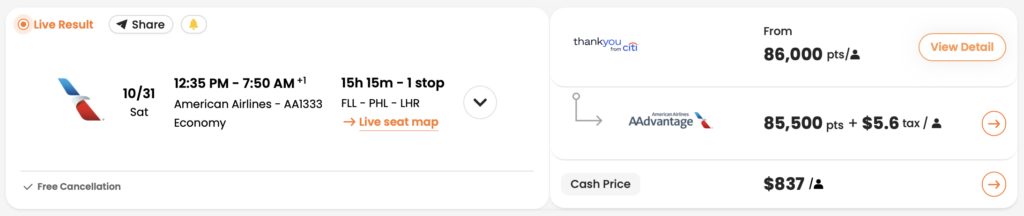
Codeshare flight numbers are also primarily for cash tickets. When booking with miles, the award will typically use the flight number of the airline actually operating the flight rather than a partner’s codeshare number.
That distinction can matter when comparing cash and award options. PointsYeah’s Miles Fare Search maps available codeshare flights when there’s a corresponding cash fare, making it easier to recognize when two differently numbered results are actually the same flight.
POINTSYEAH
So when another airline’s name appears underneath the flight number, don’t ignore it.
American and Starlux Are the Latest Example
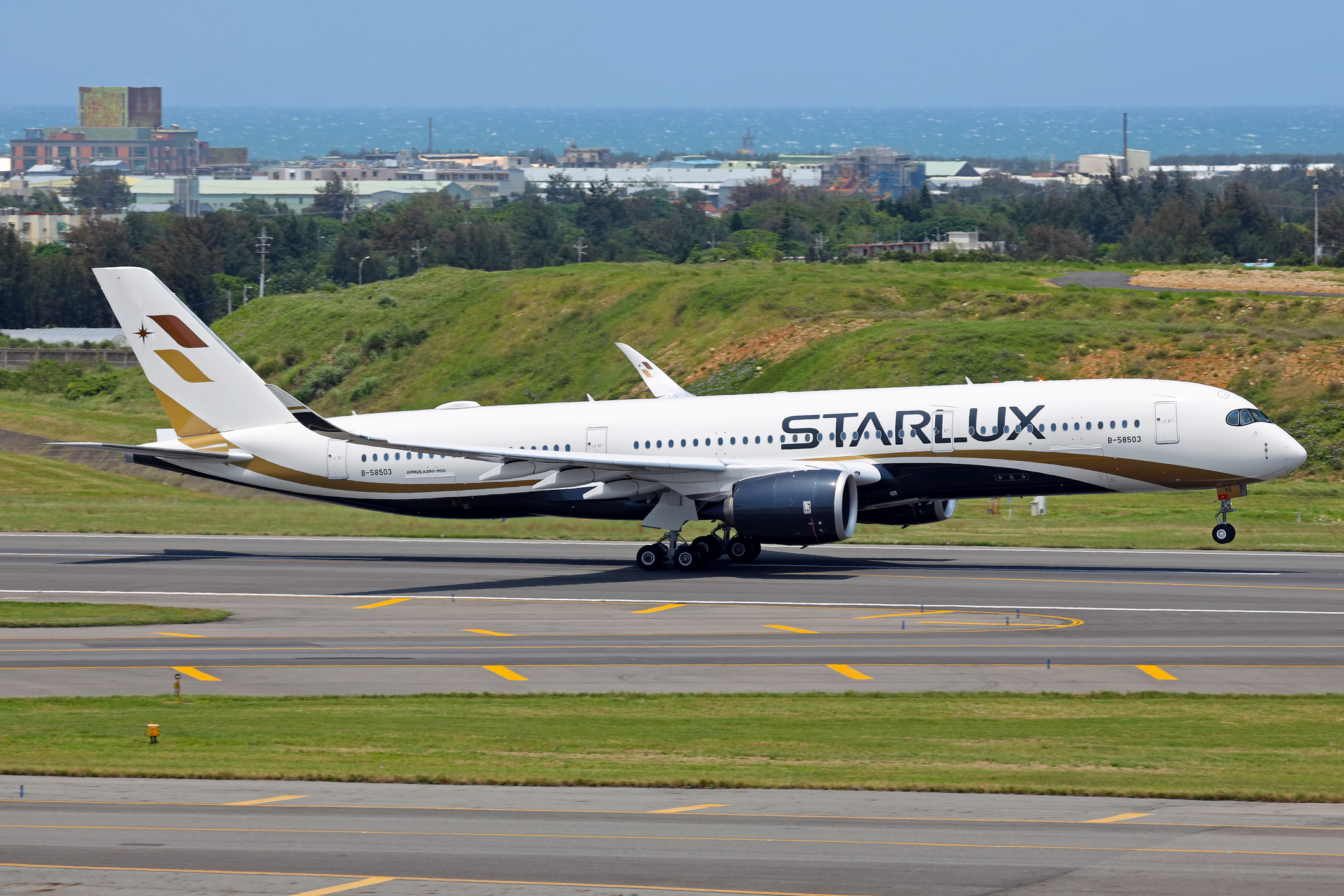
American Airlines and Starlux Airlines announced a new codeshare partnership effective September 30.
The arrangement lets the airlines sell certain flights operated by the other under their own flight numbers. For American, that can connect its U.S. network with Starlux flights across the Pacific and beyond Taipei. Starlux can similarly sell connections onto American flights in the U.S.
It doesn’t mean American is suddenly flying its own planes to all of those destinations. The plane might belong to Starlux and the flight attendants might work for Starlux, but the flight can still show up as part of an American itinerary.
Japan Airlines miles used to be a little harder to come by in the U.S.
Flying JAL was one way to earn them, and transferring hotel points was another. But for most people earning points through credit cards, Mileage Bank wasn’t an obvious program to use.
That’s changing quickly.
Citi ThankYou Rewards became the latest program to add Japan Airlines Mileage Bank as a transfer partner on September 20. Bilt, Capital One, and Rove also transfer directly to JAL. Hotel programs like Marriott Bonvoy and Accor Live Limitless add a few more options.
For most Citi cardholders who can transfer ThankYou points to airlines, the new JAL partnership is 1:1. That means 1,000 Citi points become 1,000 JAL miles. Cardholders with Citi’s no-annual-fee cards get a lower 1:0.7 ratio, turning 1,000 points into 700 miles.
But why care about JAL miles in the first place?
Japan has been one of the most searched international destinations among PointsYeah users. JAL flies there nonstop from several U.S. cities, and its miles can be used to book those flights. They can also be used for flights on partner airlines, including American Airlines and other Oneworld carriers.
So there’s a lot more that can be booked with JAL miles than the name might suggest.
There are also a few things worth knowing before transferring points over.
That 55,000-Mile Business-Class Award Has an Asterisk
Between North America and Japan, a one-way flight starts at 27,000 miles in economy, 40,000 in premium economy, and 55,000 in business class.
Those are the starting prices. What shows up when searching can look very different.
JAL uses a system called Award Ticket PLUS. If the cheapest award seats are all booked up, the airline can sometimes make another seat available for more miles. The price rises based on how many seats JAL expects to have left.
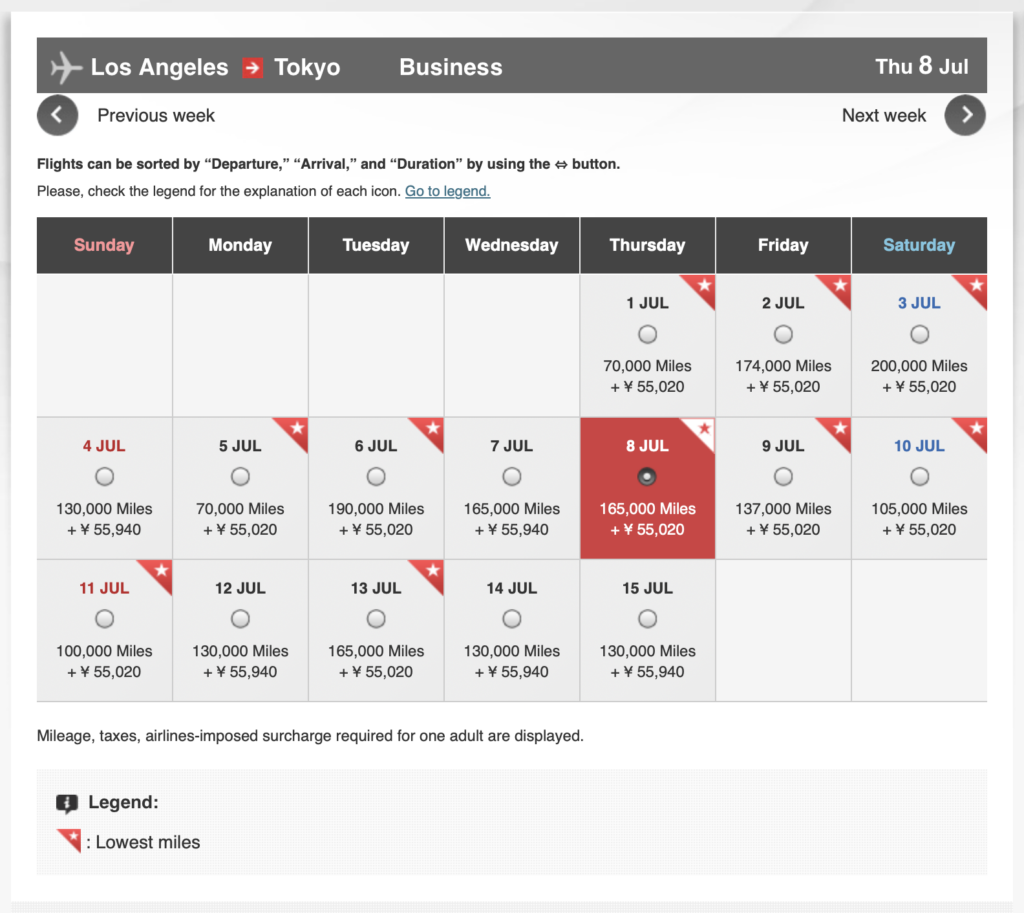
I searched from Los Angeles to Tokyo and saw just about every outcome. Several dates had no business-class awards available. Some flights checked in around 80,000 miles. Plenty approached 200,000. Others were somewhere in the middle.
JAPAN AIRLINES
And 200,000 isn’t the ceiling.
JAL’s award chart shows that a business-class award from Los Angeles can climb as high as 421,500 miles with PLUS. From Dallas, the maximum is 509,500 miles.
Those are extreme examples, but they illustrate why it’s worth searching before transferring points. A flight that starts at 55,000 miles on the chart may cost considerably more on the date you want to travel.
First class follows different rules. JAL doesn’t use PLUS there, but prices change depending on the season. Los Angeles to Japan currently ranges from 110,000 miles one way during low season to 140,000 during high season.
There’s cash to pay on top of the miles, too. JAL currently lists fuel surcharges starting at $320 one way between North America and Japan, plus taxes and fees.
JAL Miles Aren’t Just for JAL
There’s another reason all these new transfer options matter.
Mileage Bank miles can be used to book flights on partner airlines, including American Airlines, Alaska Airlines, British Airways, and Cathay Pacific. Instead of PLUS, these awards are priced based on the total distance of the trip.
For example, a partner trip covering 2,001 to 4,000 miles costs 23,000 miles in economy or 42,000 in business class. A flight from New York to Los Angeles falls within that distance band.
Longer trips cost more. An itinerary covering 6,001 to 8,000 miles costs 45,000 miles in economy or 80,000 in business class.
BOARDING1NOW / ISTOCK
That doesn’t mean JAL will always be the best program for booking those flights. There still needs to be an award seat available, and it’s worth comparing the price with other programs before transferring anything.
But JAL Mileage Bank is suddenly relevant to a much bigger group of people.
That’s really what makes Citi’s addition interesting. It isn’t another transfer partner to memorize. It’s another way into a program that can book flights to Japan and plenty of flights that never touch Japan at all.
The useful part is knowing it’s there when one of those awards turns up.
I had some time to kill at the Philadelphia airport recently and started noticing the lines.
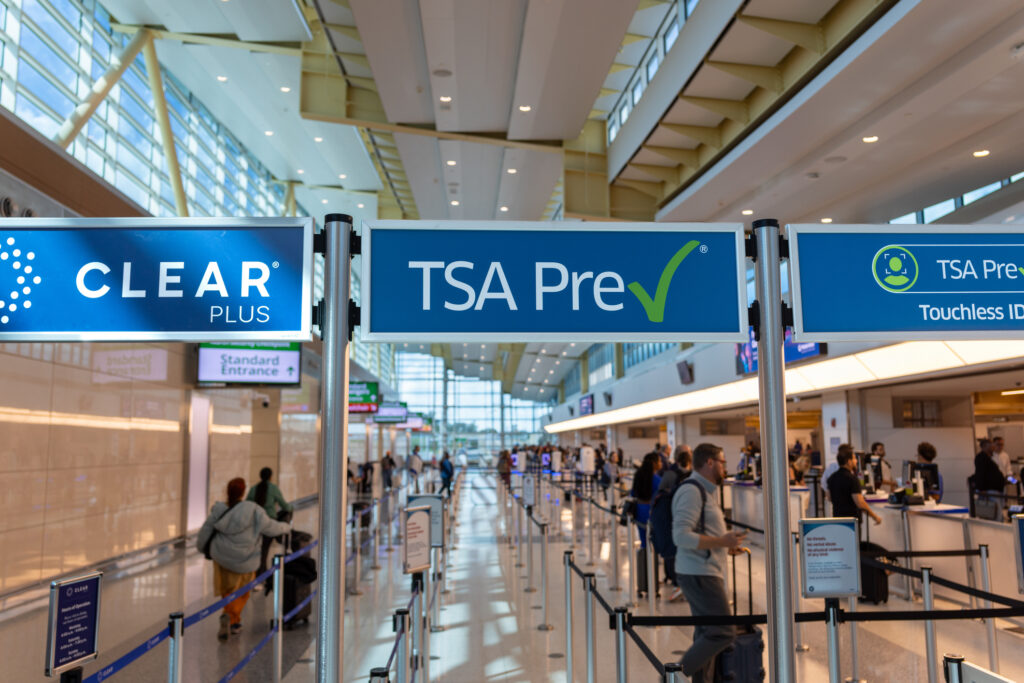
The regular TSA security line was long. PreCheck had a few people waiting. The separate Touchless ID lane had absolutely nobody at all.
A couple of minutes after collecting my belongings from security, I watched a separate American Airlines flight board. Plenty of passengers were still waiting when Groups 7 and 8 were called, followed by Group 9.
Joining AAdvantage (American’s free loyalty program) would have put some of them in Group 6 and possibly saved them from gate-checking their bags.
Neither observation was particularly groundbreaking. But they got me thinking about the small things that can make a trip easier without buying a better seat or having airline status.
Some take a few minutes to set up. Others are just useful habits to have when something goes wrong.
Here are five that can make a difference.
Join the Airline’s Loyalty Program
There doesn’t need to be much loyalty involved in joining a loyalty program.
American is a good example. AAdvantage members board in Group 6. Nonmembers flying in Main Cabin board in Groups 7 or 8, while basic economy passengers without another form of priority board in Group 9.
Signing up is free.
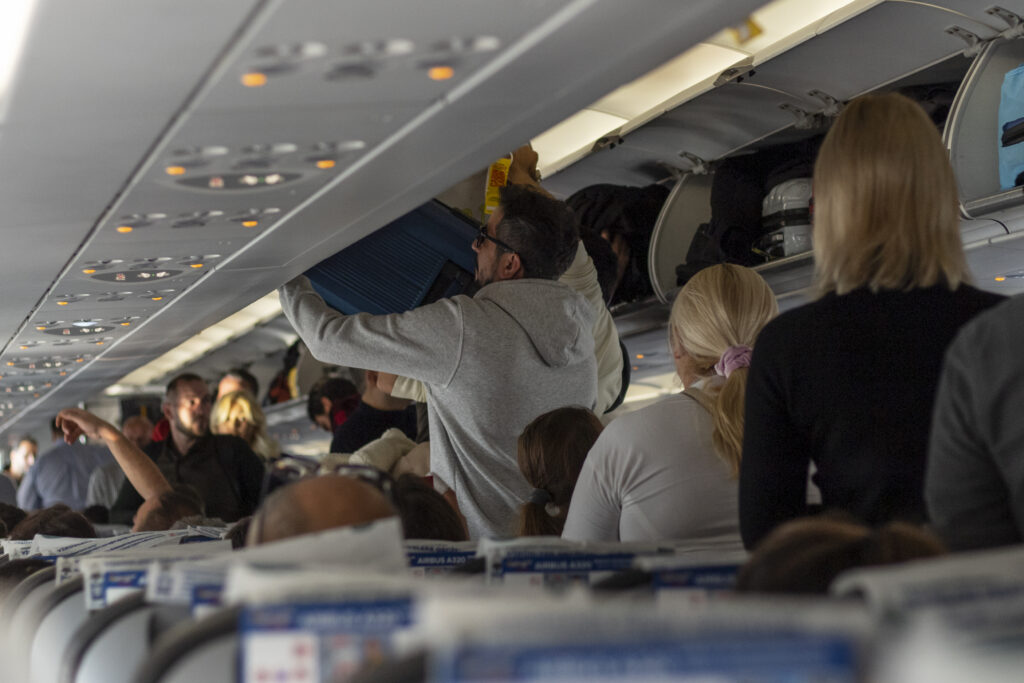
Moving up a boarding group or two isn’t going to transform a trip, but it can mean getting on the plane before overhead bin space starts disappearing. And it’s an easy benefit to get even if you only fly American more than once or twice a year.
AAdvantage members get access to free onboard Wi-Fi, too.
SERHIL IVASHCHUK / ISTOCK
Having an account also keeps reservations in one place, saves information such as a Known Traveler Number (KTN), and makes sure miles from a flight don’t disappear into nowhere.
Not every airline gives members an earlier boarding group just for signing up, so this isn’t a reason to open a dozen loyalty accounts tonight. But when booking a flight, it’s worth seeing what joining the airline’s program gets beyond miles.
Sometimes there’s a useful perk hiding behind a free signup.
The difference between the security lines at Philadelphia was hard to miss.
TSA PreCheck doesn’t guarantee a short wait. I’ve certainly stood in some long PreCheck lines. But it does offer dedicated lanes at participating airports and a less cumbersome screening process, like leaving shoes on and laptops in bags.
New enrollment currently starts as low as $76.75, depending on the provider. Renewals can start at $58.75, depending on the method.
Global Entry is another option, particularly for international trips. It costs $120, includes TSA PreCheck benefits, and adds expedited processing when returning to the U.S.
Before paying for either, check the credit cards already in the wallet. Plenty of travel cards (typically ones with annual fees) reimburse the application fee for TSA PreCheck or Global Entry. Enroll, charge the fee to an eligible card, and the reimbursement typically comes back as a statement credit.
GREGGORY DISALVO / ISTOCK
PreCheck can also unlock an even easier option at some airports.
TSA PreCheck Touchless ID uses facial comparison technology for identity verification and has dedicated lanes. I’ve increasingly found those lines shorter than PreCheck itself. At PHL that day, nobody was waiting.
Eligible PreCheck members with a valid passport can opt in through participating airlines. With an airline, that means adding a Known Traveler Number and passport information to the profile, then opting in either there or during check-in. A Touchless ID indicator on the boarding pass shows when it’s ready to use.
American, Alaska, Delta, Hawaiian, Southwest, and United currently participate.
Touchless ID isn’t everywhere yet. But after doing the work to get PreCheck, it’s worth checking whether there’s an even shorter line available.
Download the Airline App Before Something Goes Wrong
Airline apps aren’t particularly exciting when everything is running on time.
They’re considerably more useful when a flight isn’t.
Most handle the basics, including boarding passes, gate changes, delay notifications, and bag tracking. But they’re more helpful during a disruption.
When a flight gets canceled, the instinct is often to head straight for a customer-service desk or call the airline, only to hear that “higher than normal call volume” message. Everyone else is doing the same thing.
Depending on the airline, the app may already offer rebooking options while the line at the airport is still growing. Meal or hotel vouchers may show up there, too.
That doesn’t mean an app can fix every problem. Sometimes an agent really is necessary. But it’s much easier to find out with the app already downloaded, logged in, and connected to the reservation.
A flight cancellation is a bad time to discover the password doesn’t work.
Know What Else Is Flying That Day
When I really need to be somewhere, I like to know what comes after my flight.
That doesn’t require memorizing the day’s schedule. A quick look can answer the important questions. Is there another nonstop that afternoon? Does another airline fly the route? Would a connection still get there in time?
That information becomes much more useful when the original flight starts slipping.
Instead of starting from scratch after a cancellation, there’s already some idea of what to ask for or look at next. If there’s a 3 p.m. flight that still gets there before dinner, that’s worth knowing before joining the line at the airport.
The same applies to trips booked with points. A quick PointsYeah search can show other award options around the same time or day, including flights available through different loyalty programs.
{{ search-widget mode=”flight-hotel” }}
Availability can disappear quickly during a disruption, so none of this guarantees a seat. The point is knowing where to look before everyone else on the flight starts looking, too.
Keep Some Points and Miles Around for When Things Go Sideways
Some of my most useful points redemptions are the ones I never end up using.
I needed to get to Boston recently, and my JetBlue flight kept getting delayed. At some point, another delay could have meant not getting there when I needed to.
American had another flight leaving later that day, and there was award availability. So I booked it with AAdvantage miles.
I didn’t particularly want to take that flight. It was there in case JetBlue never went anywhere.
The cancellation terms on the American award gave me enough flexibility to hold onto the backup while I waited to see what happened. JetBlue eventually got moving, so I canceled the American flight and got the miles back.
SHUNYU FAN / ISTOCK
This is something to be careful with, though. Cancellation rules vary, it’s always worth checking the terms before booking something that may need to be canceled fairly close to departure.
But it’s a good example of why having some miles available can be useful beyond planning the next vacation.
The same goes for hotels. A cancellation, missed connection, or bad weather can unexpectedly create the need for a room near an airport, sometimes at an ugly last-minute price. Hotel points can cover the night instead. Transferable points can be even more useful because they provide options across several airline and hotel programs.
There doesn’t need to be a giant balance sitting around indefinitely. But using every point down to zero can leave fewer options when a trip goes sideways.
Points are usually the fun part of planning a trip. Sometimes they’re just a very useful Plan B.
None of these will prevent a delay, guarantee an empty security line, or make boarding particularly glamorous.
But that’s what struck me at PHL. Some people were waiting in a long security line while another had nobody in it. Others were boarding later than they needed to because they hadn’t joined a free airline program.
Flying comes with plenty of hassles that can’t be avoided. It makes sense to skip the ones that can.