
Keeping track of your airline, hotel, and bank rewards shouldn’t require logging into multiple loyalty accounts.
PointsYeah’s My Wallet brings your rewards together in one place, making it easy to view balances, store loyalty account numbers, and keep everything organized before your next trip.
Every PointsYeah account includes access to My Wallet. PointsYeah Premium unlocks Family and Friends Points Wallet, automatic syncing with select bank and airline programs, and additional features for organizing rewards across multiple travelers.
What Is My Wallet?
My Wallet is your central hub for managing rewards balances.
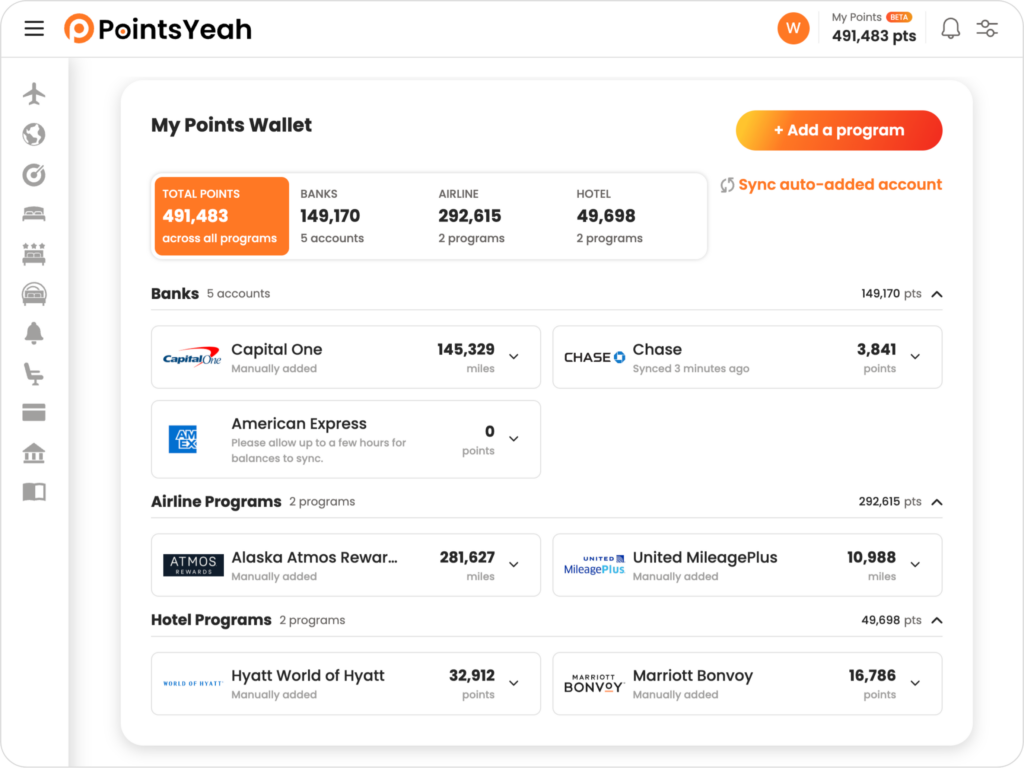
Add your airline, hotel, and bank rewards accounts to view them in one place instead of signing in to each account individually. Depending on the program and your PointsYeah membership, you can either connect your account for automatic syncing or manually enter your balance.
My Wallet also stores your loyalty account numbers, making them easy to find whenever you’re ready to book.
Add Your Loyalty Programs
Getting started only takes a few minutes.
Open My Wallet and select Add a Program.
From there, choose whether you’d like to add a:
- Bank rewards program
- Airline loyalty program
- Hotel loyalty program
PointsYeah Premium members can connect eligible bank and airline programs for automatic syncing. If syncing isn’t available, or you’re using a free account, you can manually enter your balance and update it whenever you’d like.
Over time, your wallet becomes a single place to organize all of your travel rewards.

Store Your Loyalty Account Numbers
My Wallet does more than track balances.
Each program can also store your loyalty account number, making it easy to reference or copy whenever you’re booking a flight or hotel.
Instead of searching through emails or password managers, your account numbers are available directly from your wallet when you need them.
Family and Friends Points Wallet
Planning trips often means managing rewards across more than one traveler.
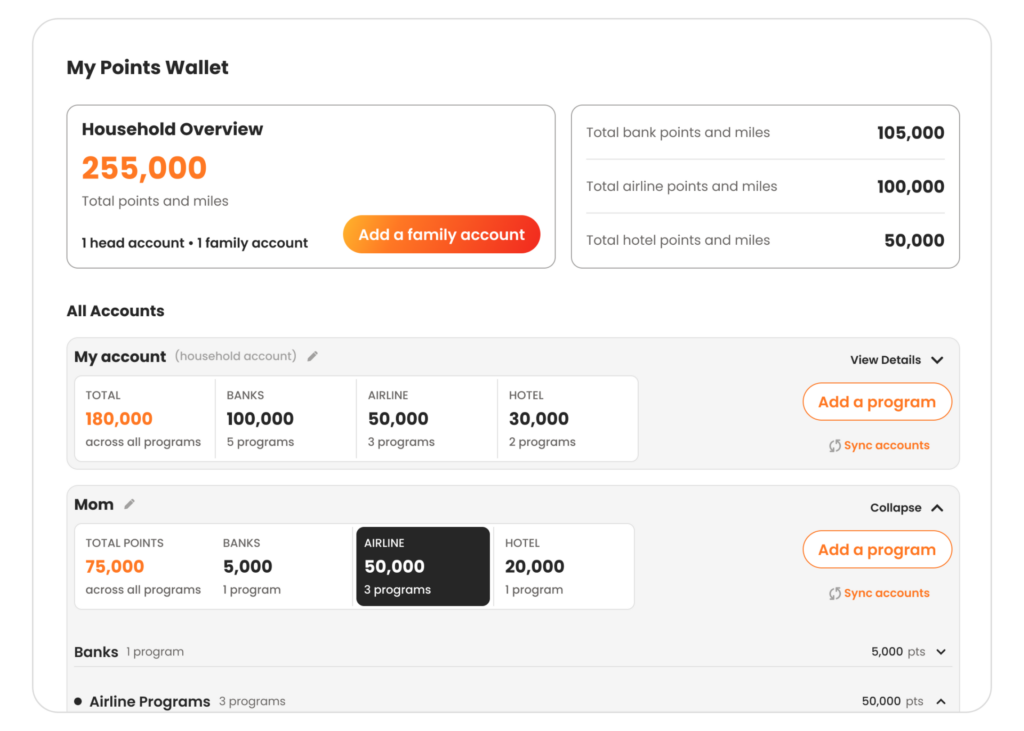
With PointsYeah Premium, you can unlock Family and Friends Points Wallet, allowing you to organize rewards for up to five people in one place.
In addition to your own Head Account, you can add up to four Family Accounts, each with their own airline, hotel, and bank rewards programs.
Each account can:
- Store loyalty account numbers.
- Sync eligible bank and airline programs automatically.
- Track manually entered balances for unsupported programs.
At the top of your wallet, you’ll see a combined household rewards balance along with each person’s individual totals, making it easy to understand what rewards are available before planning a trip.
You can also drag and drop Family Accounts to arrange them in the order that works best for you.
Free vs. Premium
Every PointsYeah account includes My Wallet, allowing you to organize your own loyalty programs in one place.
Free members can:
- Add airline, hotel, and bank rewards programs.
- Store loyalty account numbers.
- Track balances using manual updates.
PointsYeah Premium expands My Wallet with:
- Family and Friends Points Wallet.
- Up to four additional Family or Friends Accounts.
- Combined household rewards balances.
- Automatic syncing with select bank and airline programs.
- Additional tools for managing rewards across multiple travelers.
Leave a Reply