In most families, one person ends up tracking everyone’s points and planning the trips. If that’s you, you’ve probably been doing it across a dozen logins or a spreadsheet you keep forgetting to update.
Today we’re launching Family and Friends Points Wallet, one place to see the whole household’s points at once. It’s included with PointsYeah Premium.
Everyone’s points, on one screen
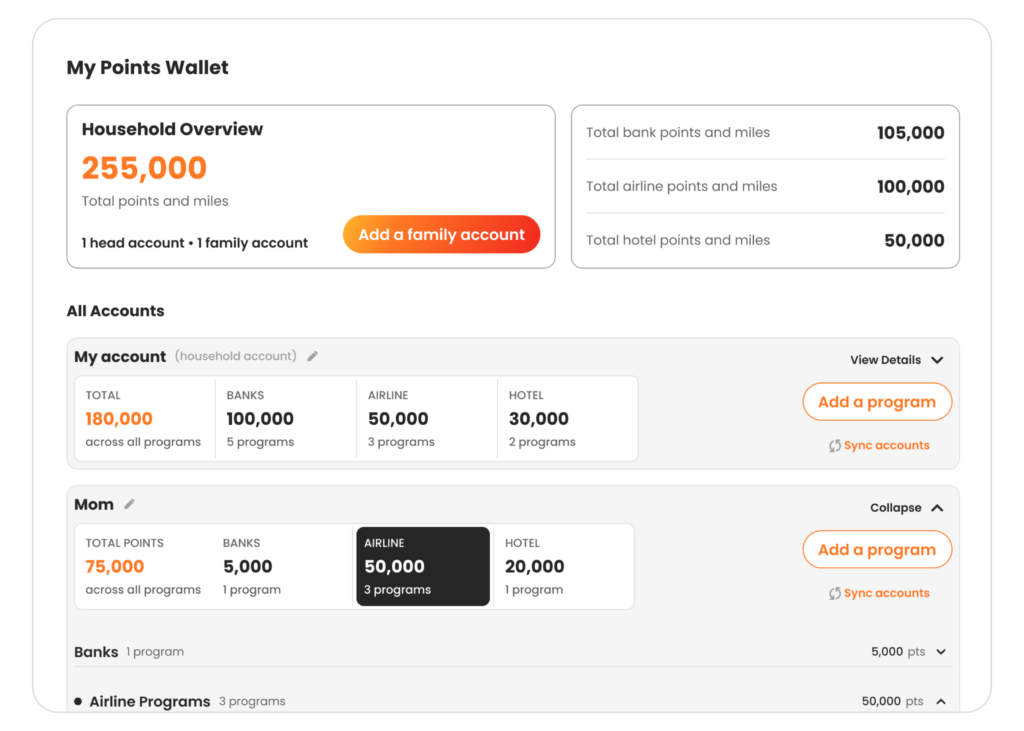
You can add up to four Family Accounts alongside your own Head Account, for five people in one wallet.
Each account holds that person’s bank, airline, and hotel programs, exactly like yours does. At the top of your wallet you see a combined household total, with each person broken out underneath so you can see who has what. When someone asks what you can pull together for a trip, the answer is on one screen instead of several logins.
It’s not just balances. Each account can also store that person’s frequent flyer and hotel account numbers. Enter them once and they’re there whenever you need them, and you can copy any number to your clipboard with one tap. No more digging through texts and screenshots for someone’s account number.
You can connect Chase, American Express, or Citi to sync those balances automatically, including co-branded airline and hotel points on those cards. Other programs you can add yourself, and they’ll sit right alongside the synced ones.
Getting everyone into your Family and Friends Points Wallet
Family and Friends Points Wallet is a Premium feature. If you’re on the free plan, you can upgrade to Premium to get it.
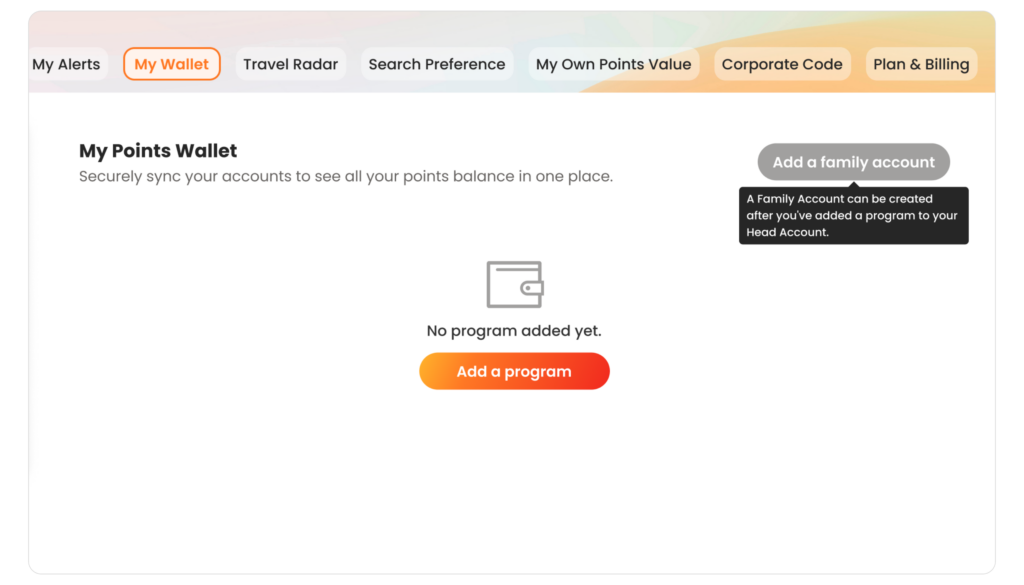
1. Add a program to your own account first. You’ll need at least one program in your own Head Account before you can add anyone else. If your wallet is empty, start there.
2. Add a person. Give the account a name, like “Mom” or “Sarah,” then add their bank, airline, and hotel programs, along with their program numbers.
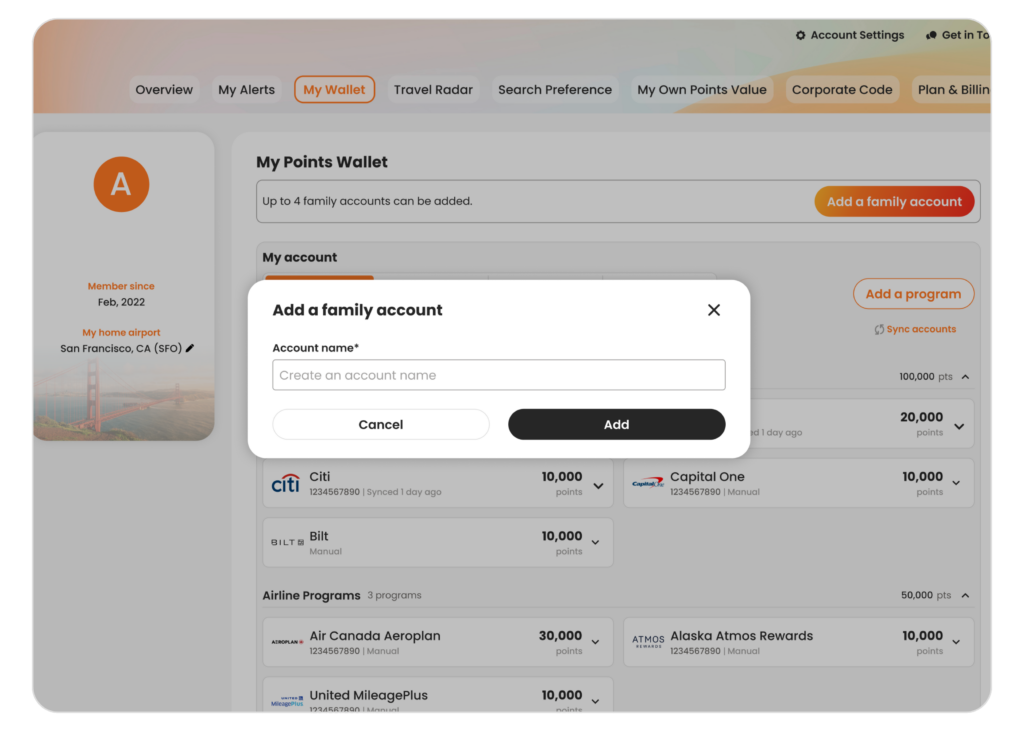
3. Repeat, up to four. Each one only takes a few minutes, and you can drag and drop to put family members in the order that makes sense to you.
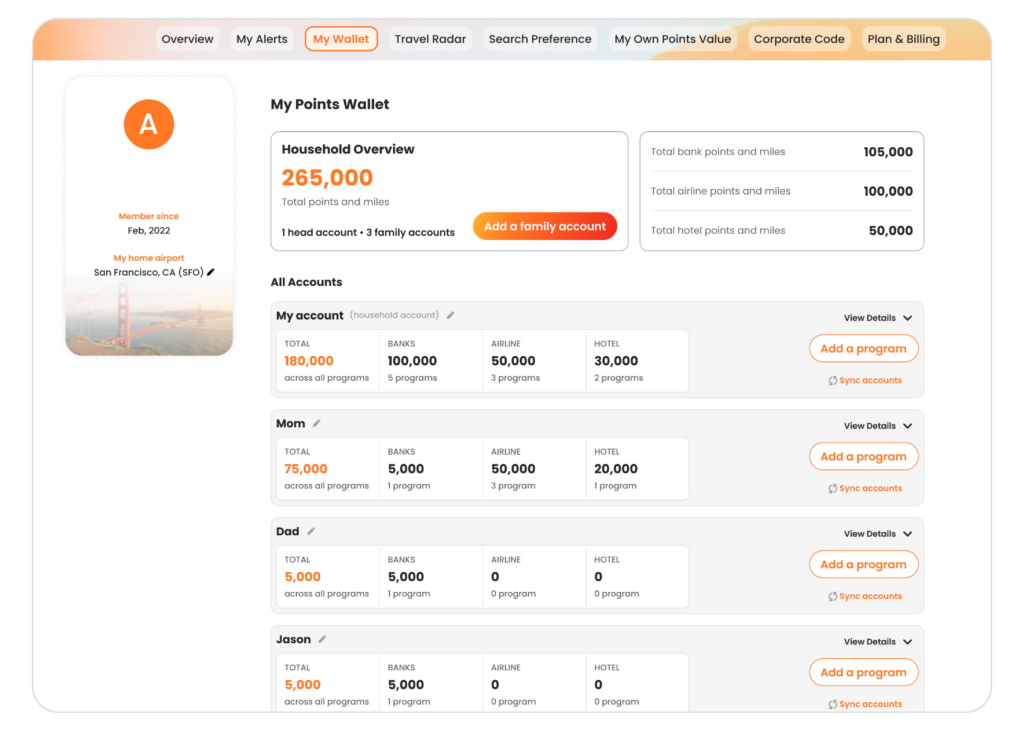
You manage everything from your own wallet. To sync a family member’s accounts automatically, you’ll need their login details for those programs. Anything you’d rather not connect, you can enter balances manually instead.
Ready when you are
Family and Friends Points Wallet is part of Premium, alongside automatic syncing with select banks and airlines, a larger live search window, multi-airport search, and 32 price alerts.
If you’re already a Premium member, it’s live in your wallet now. Head to My Wallet and look for Add a family account.
If you’re on the free plan, you can upgrade to Premium to start adding the people you plan for.